Why call Java from Python at all?
In a mixed-language development environment, it is common to reach outside the current runtime and borrow a tool from another ecosystem. One practical case is parsing Java source code while working in Python.
The goal here is straightforward: read a .java file, identify the classes and methods it contains, and return that structure in a JSON format that can be consumed easily from Python.
A Python library such as javalang can help with Java parsing to a certain extent, but it does not directly produce the kind of output needed here—an array like [{"code": "xxxx"}, {"code": "xxxx"}, {"code": "xxxx"}], where each entry corresponds to a class or a method from the source file.
For that reason, it makes sense to hand parsing over to JavaParser, a Java library designed specifically for analyzing Java source code and building an abstract syntax tree (AST).
What JavaParser gives you
JavaParser can parse Java source files and expose their structural elements through an AST. That makes it easy to inspect definitions such as:
- classes
- interfaces
- methods
Once the source file has been parsed, these nodes can be traversed and converted into whatever output format is needed. In this case, the target format is JSON so that Python can consume it without extra parsing work.
Building a small Java parser program
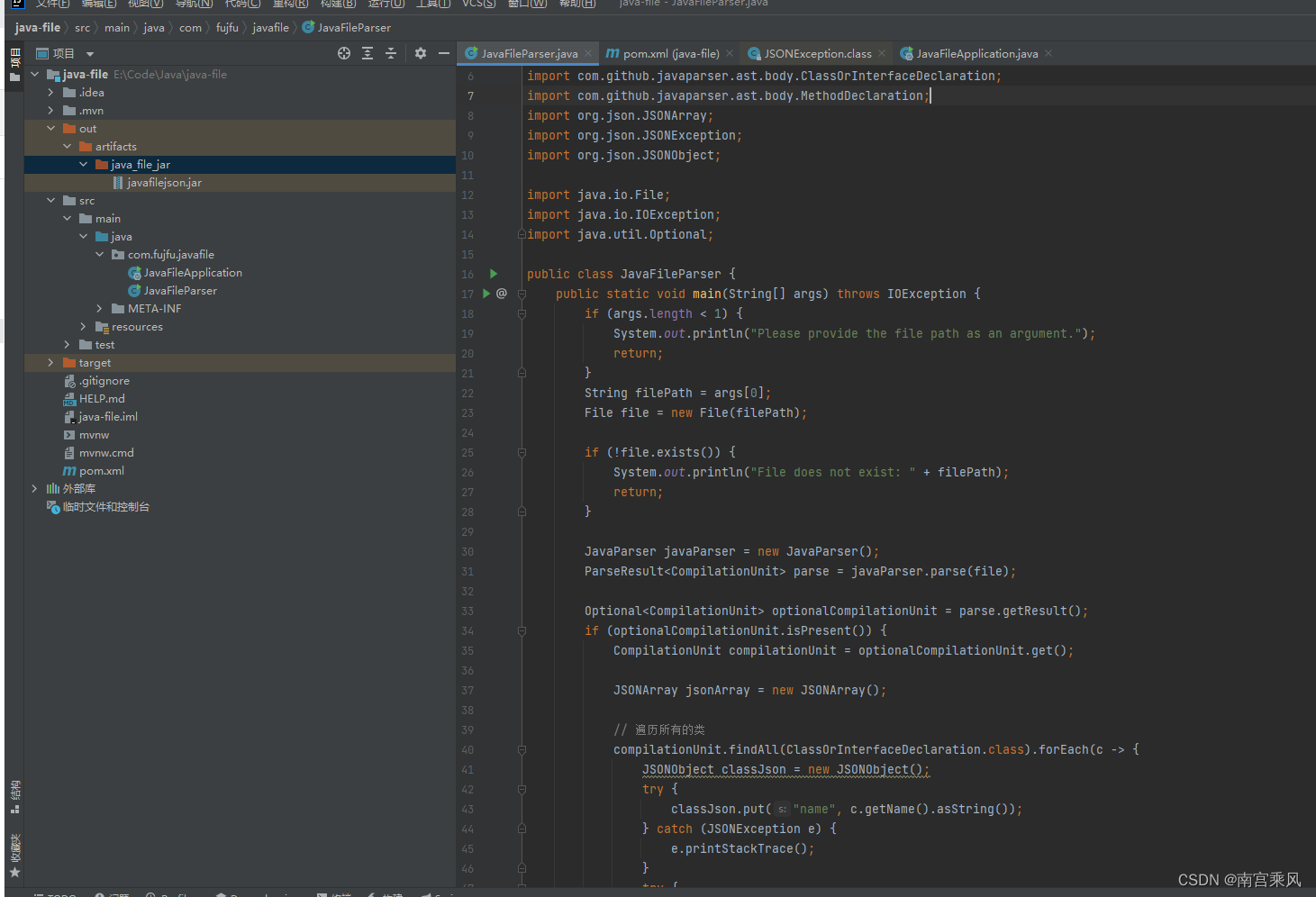
The Java side is a simple command-line application named JavaFileParser. It accepts a file path as an argument, checks whether the file exists, and then uses JavaParser to parse the source file.
The parsing result is wrapped in an Optional. If parsing succeeds, the program gets a CompilationUnit, which represents the top-level structure of the Java source file.
From there, the program:
- creates a
JSONArray - finds all classes and interfaces in the file
- stores each class or interface name and its source code in a
JSONObject - adds that object to the JSON array
- then finds all methods inside each class or interface
- stores each method name and source code in another
JSONObject - adds those method objects to the same JSON array
- finally prints the JSON array to standard output
If parsing fails, it prints an error message instead.
pom.xml
<table> <thead> <tr> <th>1 2 3 4 5 6 7 8 9 10 11 12 13 14 15 16 17 18 19 20 21 22 23 24 25 26 27 28 29 30 31 32 33 34 35 36 37 38 39 40 41 42 43 44 45 46 47 48 49 50 51 52 53 54 55</th>
<th><?xml version="1.0" encoding="UTF-8"?> <project xmlns="http://maven.apache.org/POM/4.0.0" xmlns:xsi="http://www.w3.org/2001/XMLSchema-instance" xsi:schemaLocation="http://maven.apache.org/POM/4.0.0 https://maven.apache.org/xsd/maven-4.0.0.xsd"> <modelVersion>4.0.0</modelVersion> <parent> <groupId>org.springframework.boot</groupId> <artifactId>spring-boot-starter-parent</artifactId> <version>2.5.12</version> <relativePath/> <!-- lookup parent from repository --> </parent> <groupId>com.fujfu</groupId> <artifactId>java-file</artifactId> <version>0.0.1-SNAPSHOT</version> <name>java-file</name> <description>java-file</description> <properties> <java.version>1.8</java.version> </properties> <dependencies> <dependency> <groupId>org.springframework.boot</groupId> <artifactId>spring-boot-starter</artifactId> </dependency> <dependency> <groupId>com.github.javaparser</groupId> <artifactId>javaparser-core</artifactId> <version>3.25.1</version> </dependency> <dependency> <groupId>org.springframework.boot</groupId> <artifactId>spring-boot-starter-test</artifactId> <scope>test</scope> </dependency> <dependency> <groupId>com.vaadin.external.google</groupId> <artifactId>android-json</artifactId> <version>0.0.20131108.vaadin1</version> <scope>compile</scope> </dependency> </dependencies> <build> <plugins> <plugin> <groupId>org.springframework.boot</groupId> <artifactId>spring-boot-maven-plugin</artifactId> </plugin> </plugins> </build> </project></th>
</tr>
</thead>
<tbody>
<tr>
<td></td>
<td></td>
</tr>
</tbody>
</table>
The Maven configuration includes JavaParser and a JSON library, along with the Spring Boot starter setup used for packaging.
JavaFileParser
<table> <thead> <tr> <th>1 2 3 4 5 6 7 8 9 10 11 12 13 14 15 16 17 18 19 20 21 22 23 24 25 26 27 28 29 30 31 32 33 34 35 36 37 38 39 40 41 42 43 44 45 46 47 48 49 50 51 52 53 54 55 56 57 58 59 60 61 62 63 64 65 66 67 68 69 70 71 72 73 74 75 76 77 78 79 80 81 82 83 84 85 86 87 88 89 90 91 92 93 94 95</th>
<th>package com.fujfu.javafile; import com.github.javaparser.JavaParser; import com.github.javaparser.ParseResult; import com.github.javaparser.ast.CompilationUnit; import com.github.javaparser.ast.body.ClassOrInterfaceDeclaration; import com.github.javaparser.ast.body.MethodDeclaration; import org.json.JSONArray; import org.json.JSONException; import org.json.JSONObject; import java.io.File; import java.io.IOException; import java.util.Optional; public class JavaFileParser { public static void main(String[] args) throws IOException { if (args.length < 1) { System.out.println("Please provide the file path as an argument."); return; } String filePath = args[0]; File file = new File(filePath); if (!file.exists()) { System.out.println("File does not exist: " + filePath); return; } JavaParser javaParser = new JavaParser(); ParseResult<CompilationUnit> parse = javaParser.parse(file); Optional<CompilationUnit> optionalCompilationUnit = parse.getResult(); if (optionalCompilationUnit.isPresent()) { CompilationUnit compilationUnit = optionalCompilationUnit.get(); JSONArray jsonArray = new JSONArray(); // 遍历所有的类 compilationUnit.findAll(ClassOrInterfaceDeclaration.class).forEach(c -> { JSONObject classJson = new JSONObject(); try { classJson.put("name", c.getName().asString()); } catch (JSONException e) { e.printStackTrace(); } try { classJson.put("code", c.toString()); } catch (JSONException e) { e.printStackTrace(); } jsonArray.put(classJson); // 遍历类中的所有方法 c.findAll(MethodDeclaration.class).forEach(m -> { JSONObject methodJson = new JSONObject(); try { methodJson.put("name", m.getName().asString()); } catch (JSONException e) { e.printStackTrace(); } try { methodJson.put("code", m.toString()); } catch (JSONException e) { e.printStackTrace(); } jsonArray.put(methodJson); }); }); System.out.println(jsonArray.toString()); //jsonArray.toString() 循环 // for (int i = 0; i < jsonArray.length(); i++) { // JSONObject jsonObject = null; // try { // jsonObject = jsonArray.getJSONObject(i); // } catch (JSONException e) { // e.printStackTrace(); // } // try { // System.out.println("Name: " + jsonObject.getString("name")); // } catch (JSONException e) { // e.printStackTrace(); // } //// try { //// System.out.println("Code: " + jsonObject.getString("code")); //// } catch (JSONException e) { //// e.printStackTrace(); //// } // } } else { System.out.println("Failed to parse the file."); } } }</th>
</tr>
</thead>
<tbody>
<tr>
<td></td>
<td></td>
</tr>
</tbody>
</table>
A few details matter here:
- the program expects the Java file path from the command line
- it exits early if the file is missing
CompilationUnitis the entry point for traversing the AST- both class definitions and method definitions are serialized into JSON
- each JSON object includes
nameandcode
That means the output is immediately usable from Python without writing another AST visitor there.
Packaging the Java program into a JAR
After the parser application is ready, the next step is packaging it as a runnable JAR. Once that is done, Python only needs to invoke a single command.
The screenshots below illustrate the packaging process:
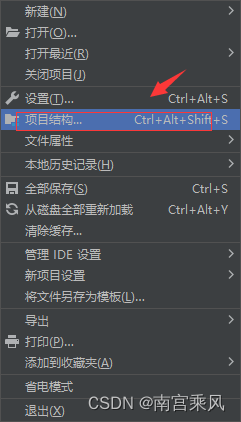
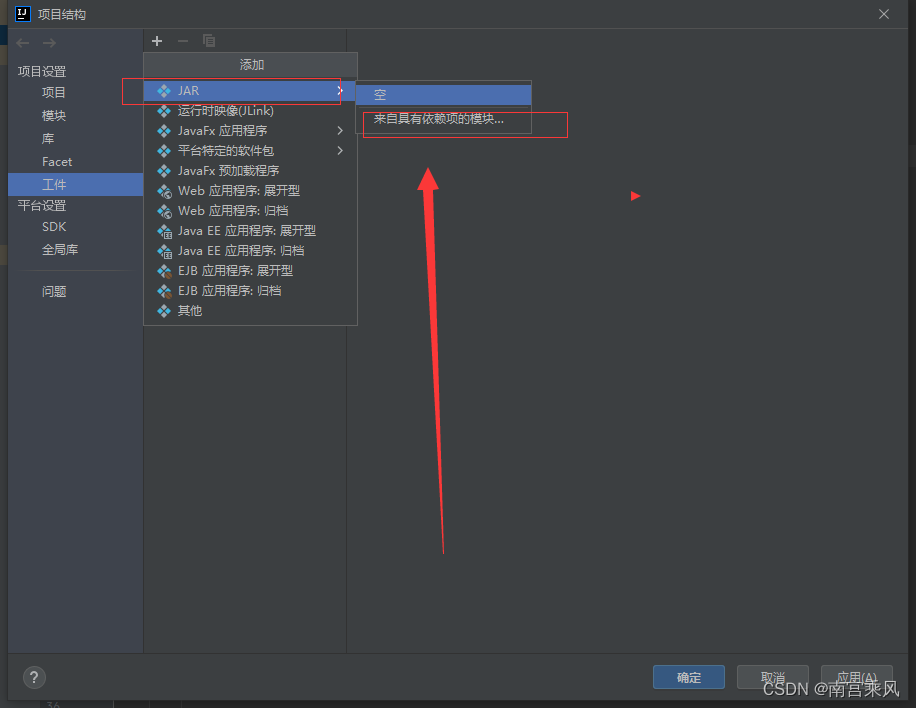
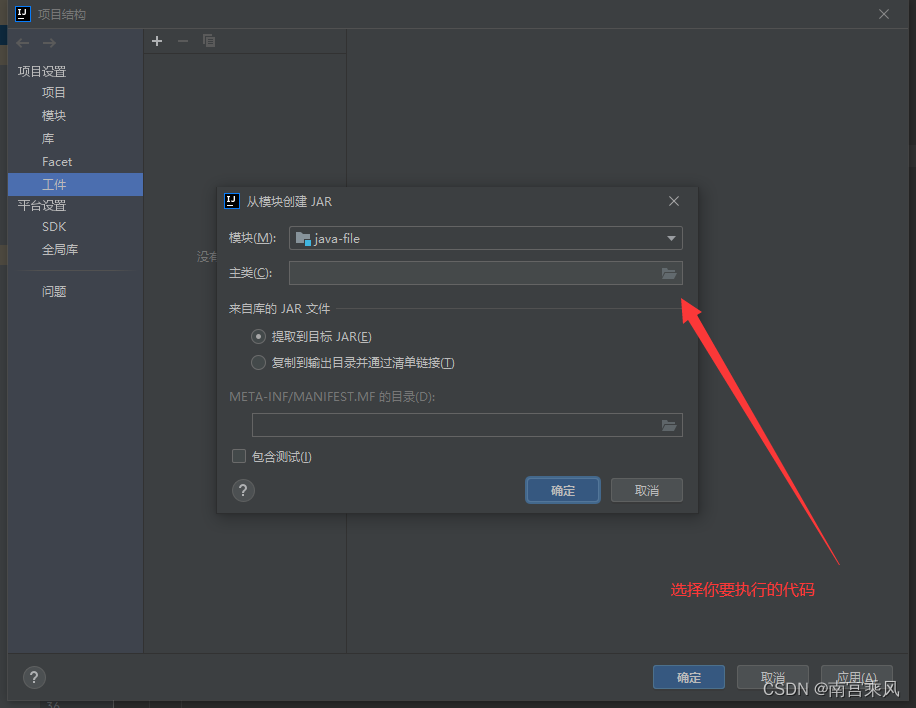
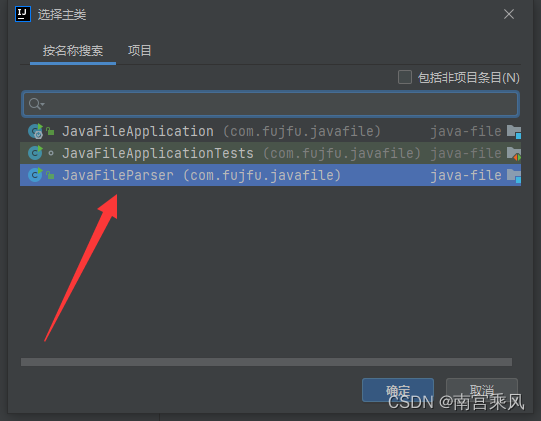
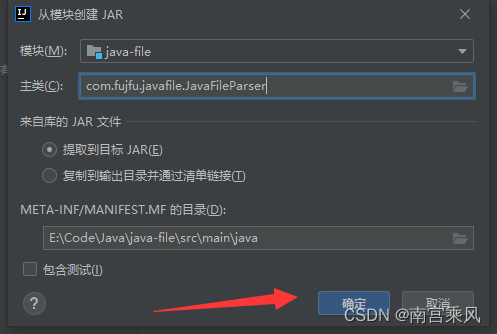
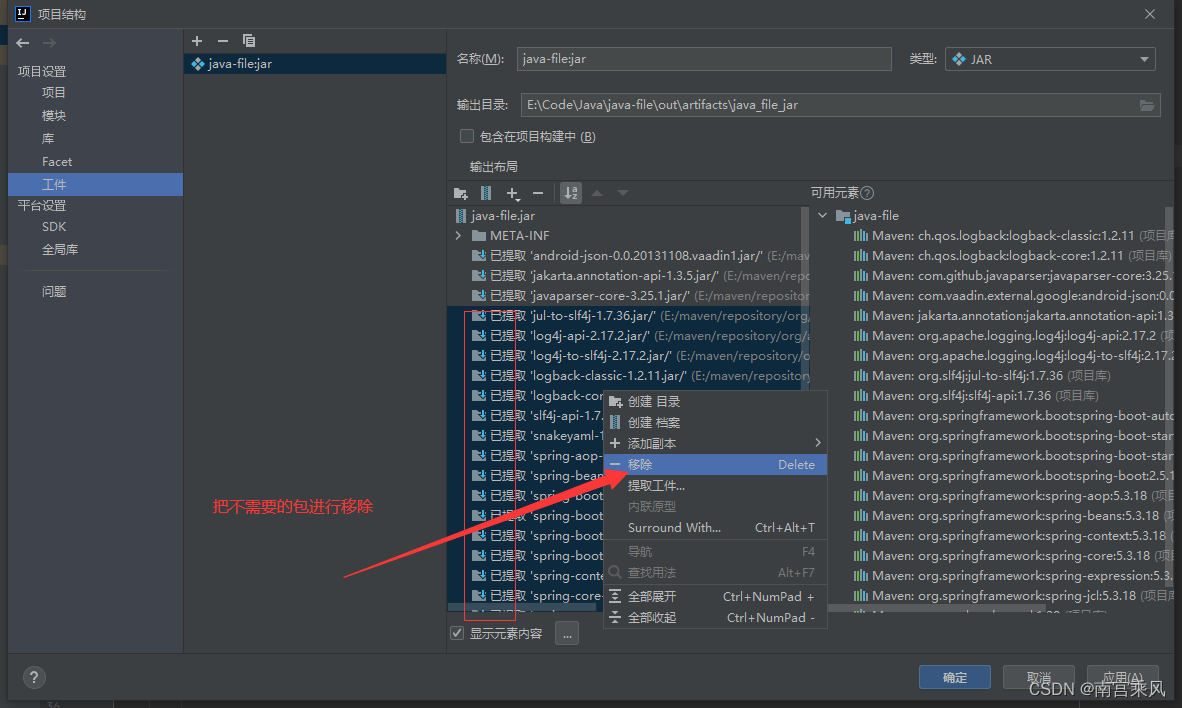
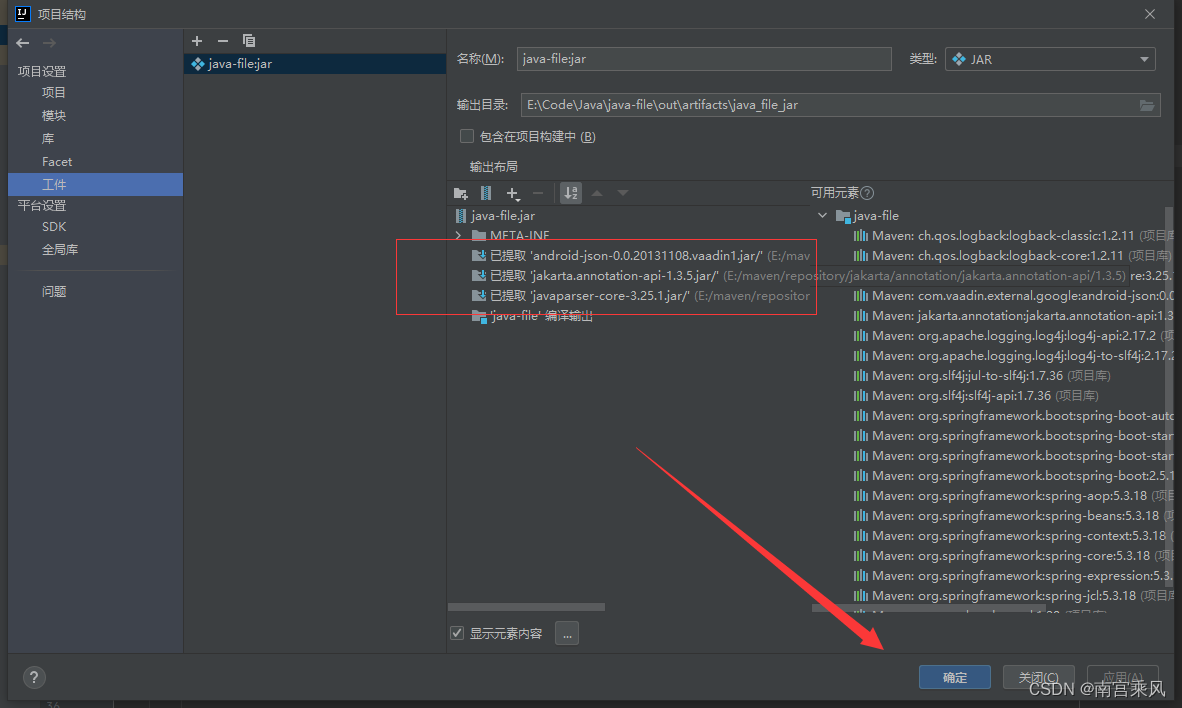
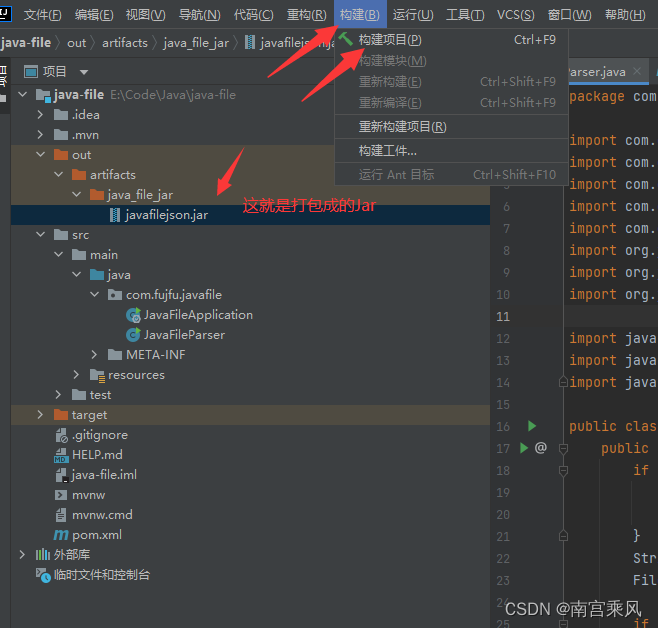
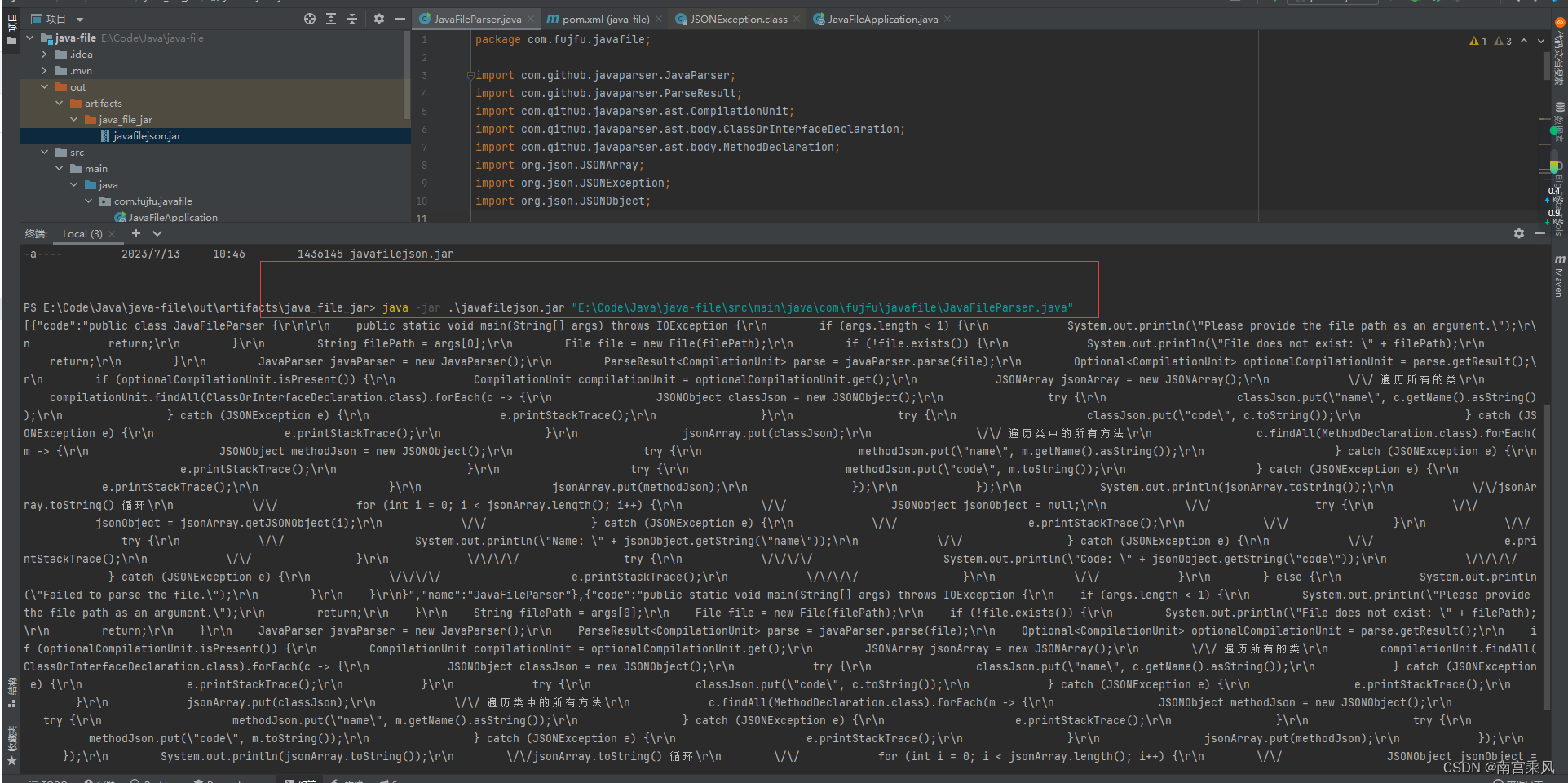
Assume the packaged file is named javafilejson.jar.
Calling the JAR from Python
On the Python side, subprocess is enough. The idea is to execute:
java -jar javafilejson.jar {file_path}
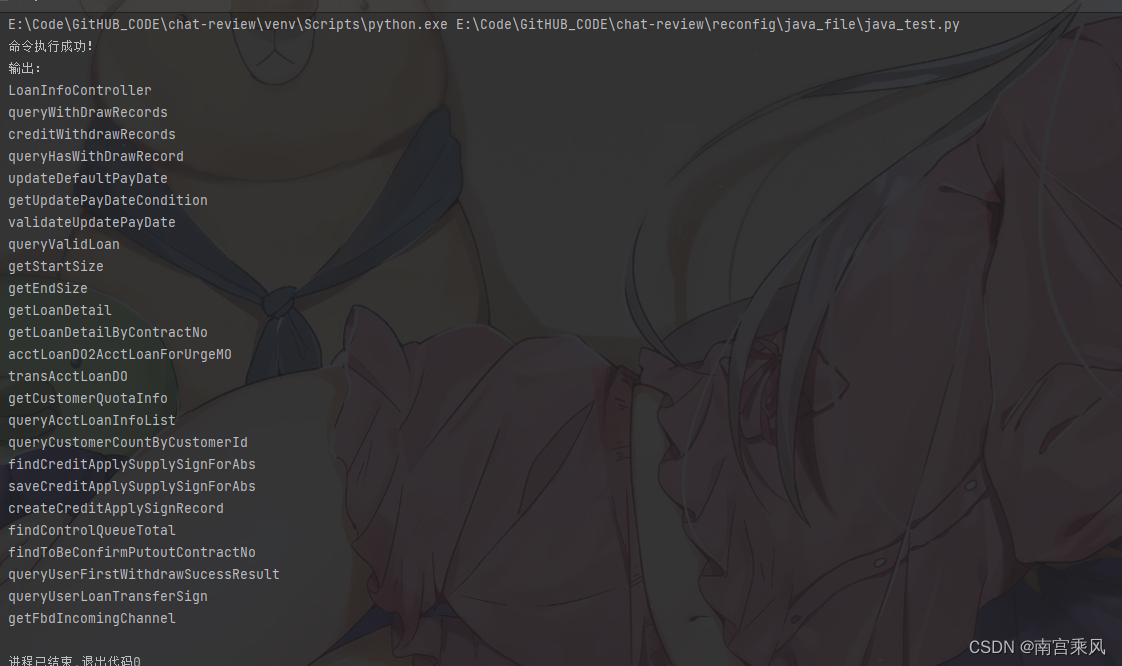
Python captures standard output and standard error, checks whether the command succeeded, and if it did, decodes the returned JSON string and loads it into Python objects.
Here is the Python code used for that step:
<table> <thead> <tr> <th>1 2 3 4 5 6 7 8 9 10 11 12 13 14 15 16 17 18 19 20 21 22 23 24</th>
<th>import json import subprocess def execute_java_command(file_path): command = f'java -jar javafilejson.jar {file_path}' process = subprocess.Popen(command, stdout=subprocess.PIPE, stderr=subprocess.PIPE, shell=True) output, error = process.communicate() if process.returncode == 0: print("命令执行成功!") print("输出:") all_data = output.decode("gbk") lst = json.loads(all_data) for i in lst: print(i["name"], i["code"]) else: print("命令执行失败!") print("错误信息:") print(error) # 调用函数示例 file_path = "LoanInfoController.java" execute_java_command(file_path)</th>
</tr>
</thead>
<tbody>
<tr>
<td></td>
<td></td>
</tr>
</tbody>
</table>
This script does three things:
- runs the Java parser as an external process
- reads the JSON emitted by the JAR
- converts that JSON into Python data and prints each
nameandcode
The decoding step uses gbk, matching the environment shown in the example.
Why this approach is useful
This pattern works well when Python is the main orchestration layer but the best parser or analysis library lives in another language. Instead of reimplementing parsing logic in Python or accepting a less suitable output format, Python can delegate the specialized work to Java and consume the result as JSON.
In practice, that makes it easier to inspect Java source structure, extract classes and methods, and prepare the code for later processing or modification.