Freelance and independent developers often run into the same situation when taking on contract work: the client asks for an invoice. If you do not operate through a registered company, this can feel unclear at first. In practice, an individual can usually apply through the e-tax system to have a VAT invoice issued on their behalf.
In most cases, what you need is a regular VAT invoice. The process is fairly straightforward once you know where to look.
Start with the buyer’s local e-tax portal
The first step is to open the electronic tax bureau for the province where the client company is registered.
Keep in mind that some regions may require the application to be filed where the service was performed or where the labor took place. Even so, it is usually best to try the tax portal in the buyer’s location first, or confirm the rule with the local tax authority.
Using Jiangsu’s e-tax portal as an example:
https://etax.jiangsu.chinatax.gov.cn:8443
The interface differs slightly by province, but the overall workflow is generally similar.
- Register and sign in. - If this is your first time using the system, you will usually need to create an account as a natural person. - Identity verification often requires the matching e-tax app and a facial recognition check.
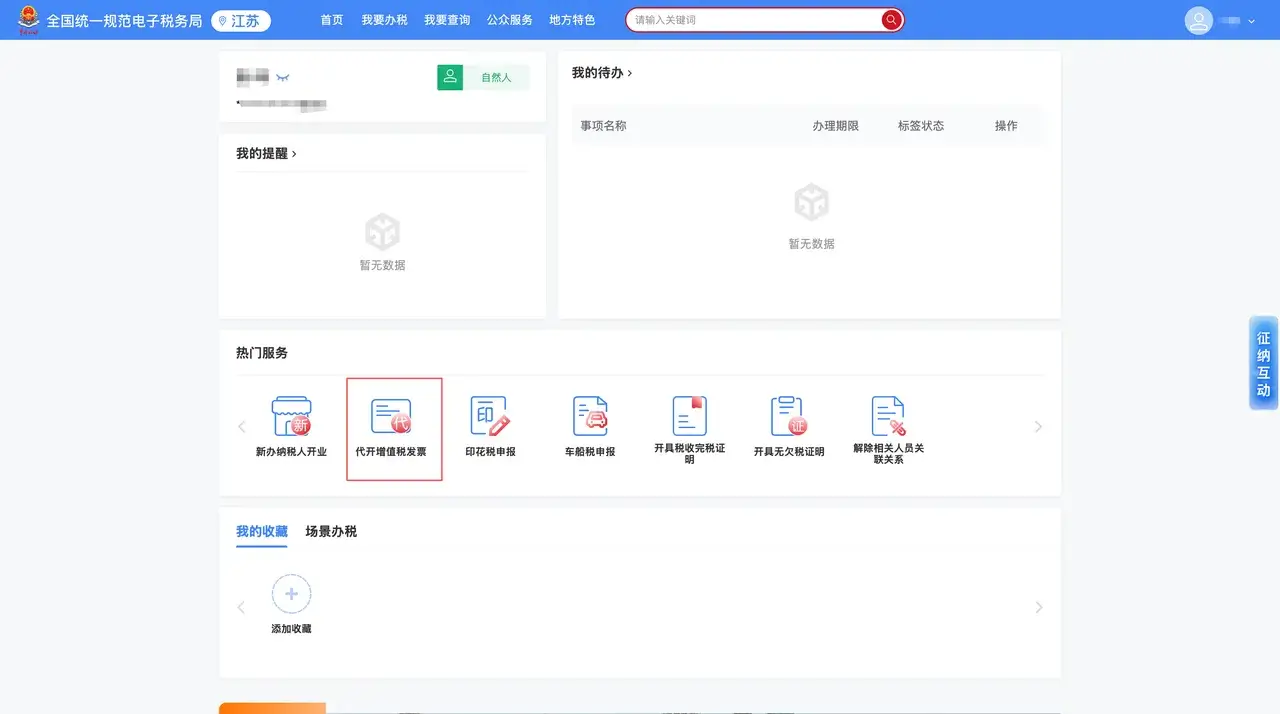
- After logging in, find VAT Invoice Issuance on Behalf on the homepage or inside the application center.
Choose the correct issuance category
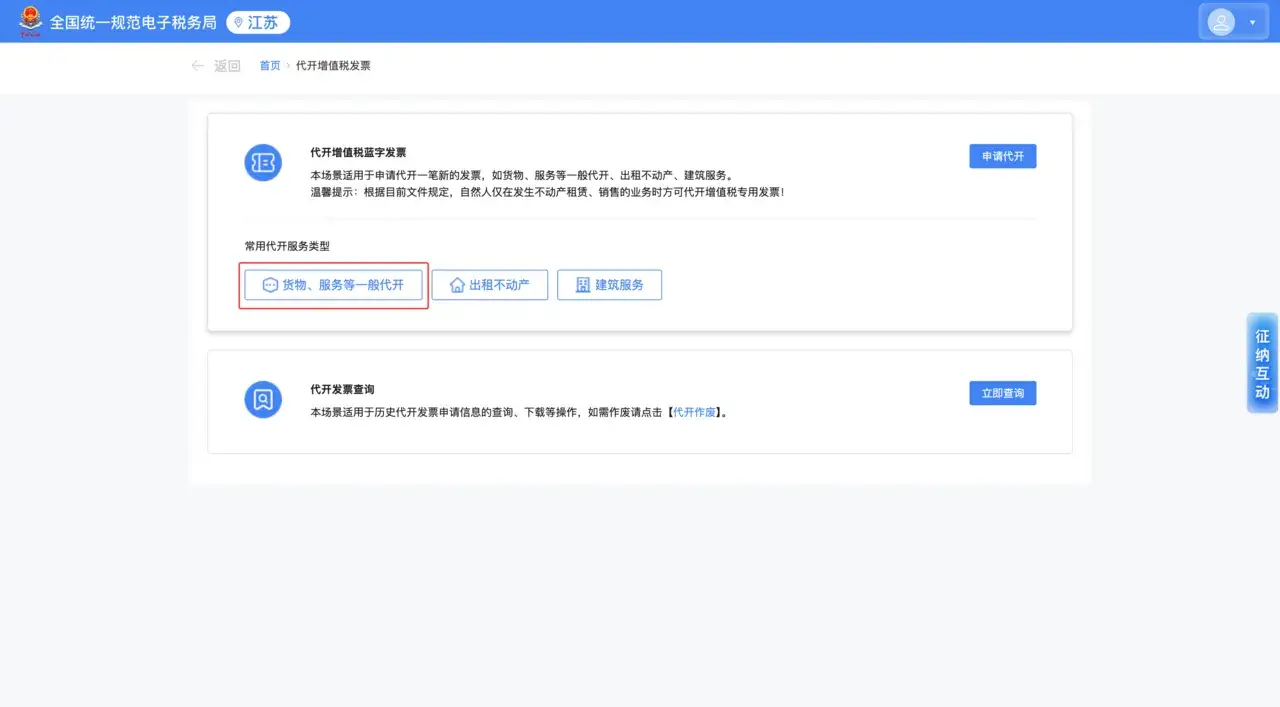
After entering the invoice application page, select General issuance for goods, services, etc.
For an independent developer doing project-based work, this is usually the appropriate option.
Fill in the invoice details carefully
This is the most important part of the process. Double-check everything before moving on.
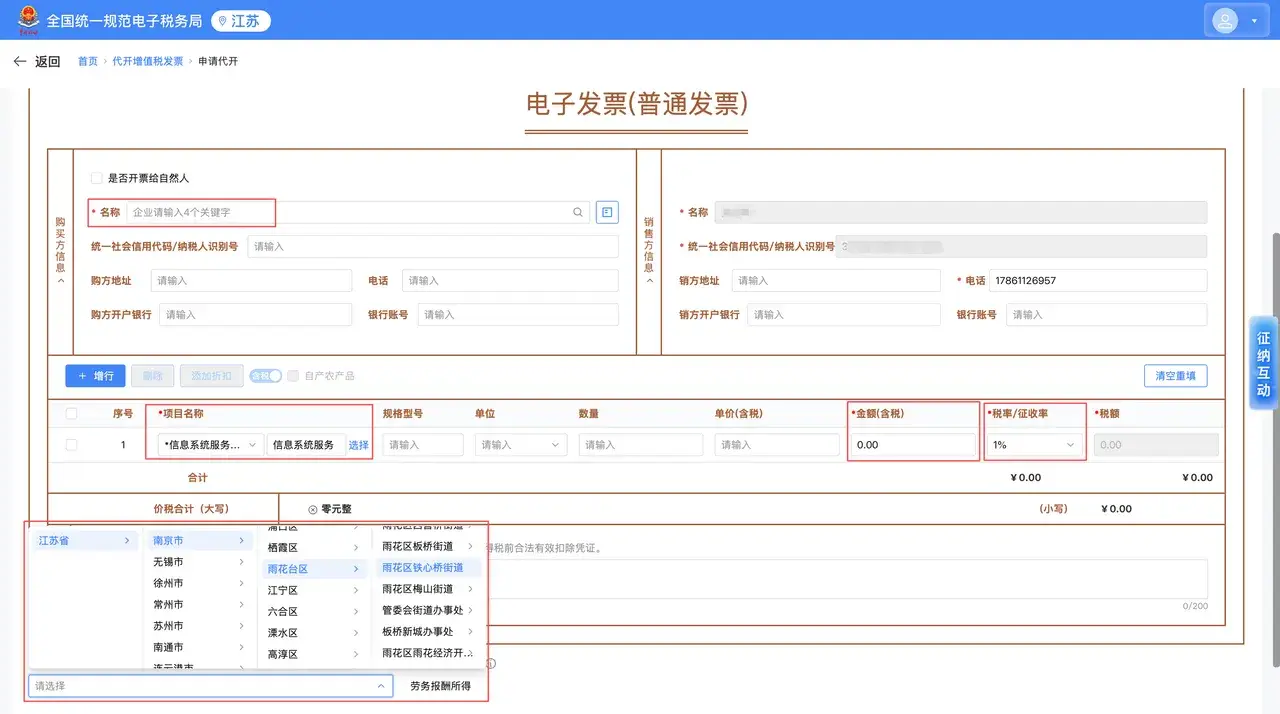
Buyer information
This section is for the client company.
- Company name: the system usually supports fuzzy search. Enter part of the company name and choose the correct business from the dropdown list.
- Tax identification number: once the company is selected, its Unified Social Credit Code / Taxpayer Identification Number is often filled in automatically.
- Other fields: the company’s address, phone number, bank, and account number are typically optional, but you can fill them in if the client asks for them.
Seller information
This is your personal information. The system usually pulls it automatically, and in most cases it cannot be edited.
Item or service description
For the invoice line item, independent developers will usually choose either:
- Information system services, or
- Technical services
Unless the client has specifically asked for a different category, one of those is generally appropriate.
Amount and tax rate
- Amount: enter the actual settlement amount.
- Tax rate: 1% is commonly used, though the actual applicable rate depends on local tax policy.
Place where the tax obligation arises
This is usually set to the registered location of the buyer’s company.
Pay the tax before submission completes
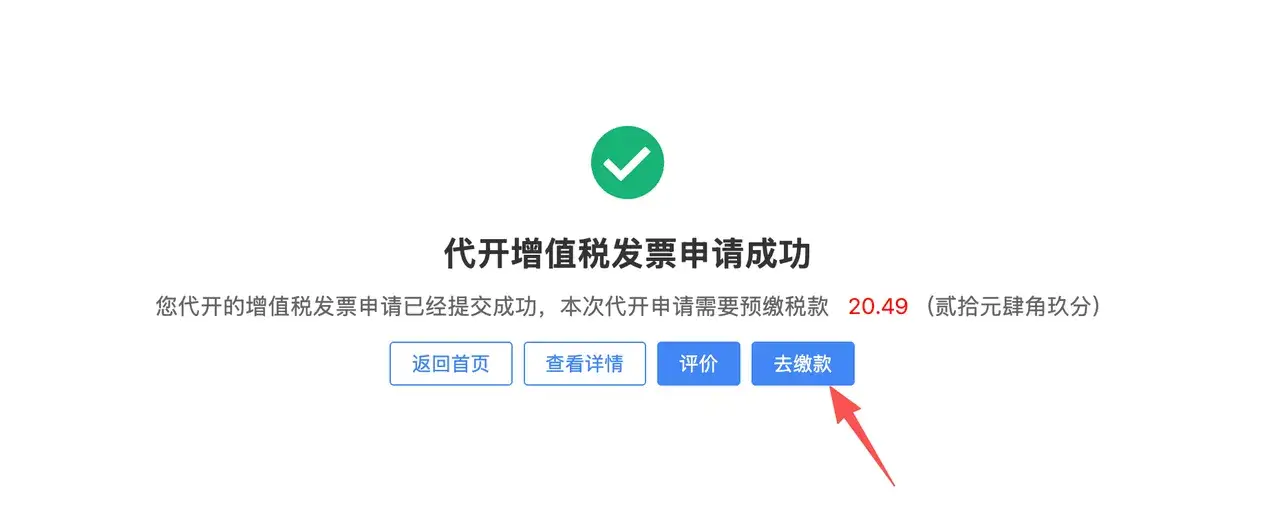
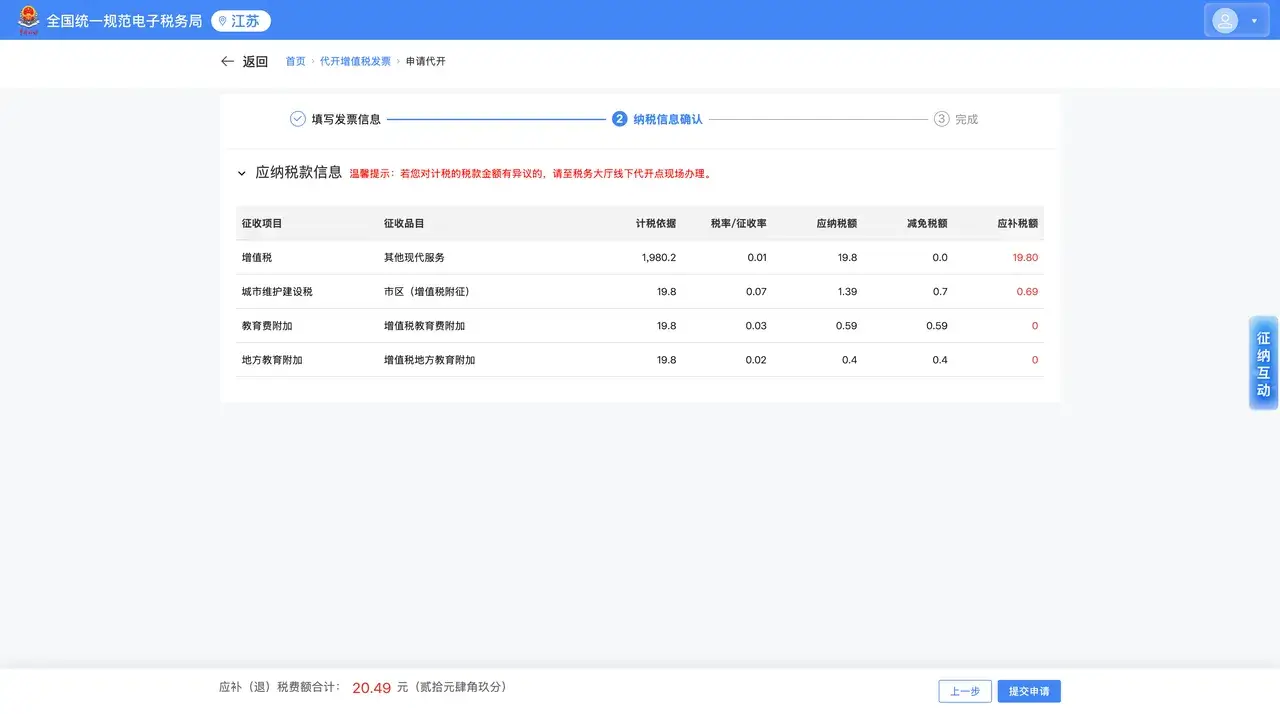
Once all information is confirmed, click the payment option. The system will calculate the VAT payable automatically.
In many regions, payment can be completed through WeChat Pay or Alipay.
Download the electronic invoice
After payment succeeds, the system will generate the e-invoice.
To retrieve it:
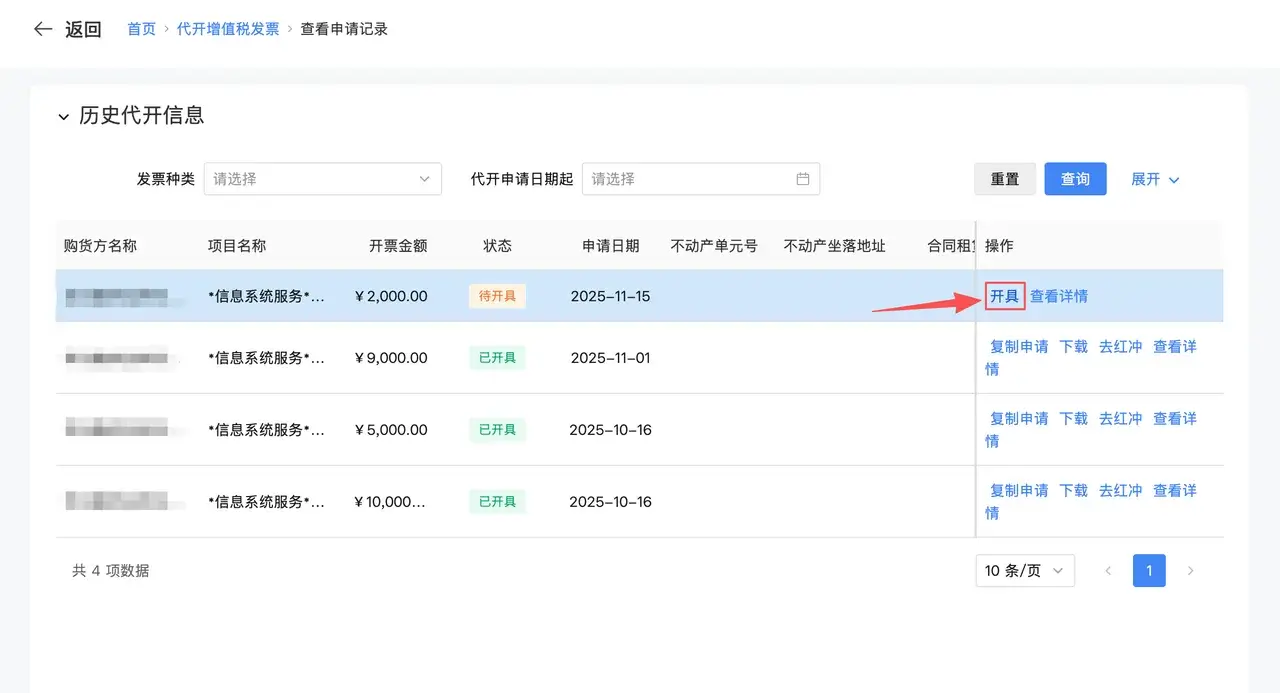
- Return to the VAT Invoice Issuance on Behalf page.
- Open Issued Invoice Query.
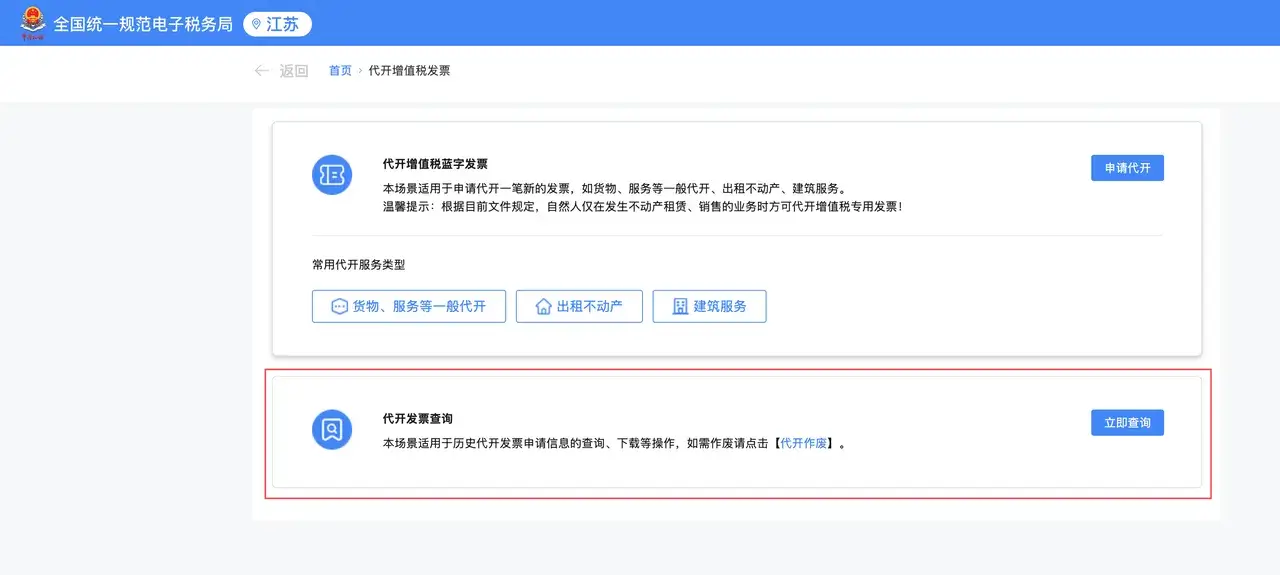
- Find the matching record and click Issue or Download.
You can then download the invoice as a PDF and send it directly to the client.