A problem that never really disappeared
It’s tempting to think QQ account theft belongs to another era — the age of internet cafés, shady download prompts, and fake media players bundled with password-stealing trojans. Back then, one careless click on the wrong kind of site could easily end with your QQ account logging in from somewhere else, your password being changed, and a long, frustrating recovery process that still might not work.
Tencent pushed users toward binding security phones years ago, and account registration later required mobile verification codes as well. On paper, a personal QQ account should be much safer than it was a decade or two ago.
In reality, the attackers improved too.
I happened to be logged into a friend’s account today when a message came in. That message was enough to show how modern account theft still works — and how much more convincing it has become.
The suspicious message
The message itself looked ordinary. The wording wasn’t even especially good; anyone with a bit of common sense should have found it questionable. QQ does let friends help with verification in some situations, but there is no such thing as a temporary login before that verification is completed.
Most account thieves use compromised "zombie accounts" to spread these messages, whether through private chats or QQ Space posts.
Before smartphones became universal, their main targets were people using unprotected PCs. The usual trick was sending a disguised file carrying a password-stealing trojan and persuading the victim to run it. The theft happened silently. If antivirus software got in the way, the victim might even be talked into disabling it first.
Once smartphones became the norm, the method got simpler: build a page that looks official and trick people into typing in their account and password. Whenever I run into that kind of phishing page, I’m usually tempted to type something sarcastic into the password box instead.
But basic phishing has limits now. Many users have linked a security phone and enabled device lock, so having only the account name and password often isn’t enough to take over the account.
That’s what made this scammer a little smarter. Instead of sending an obviously fake link, they sent a QR code. And anyone who uses mobile QQ knows one important detail: pages opened inside the app do not always show the full link clearly.
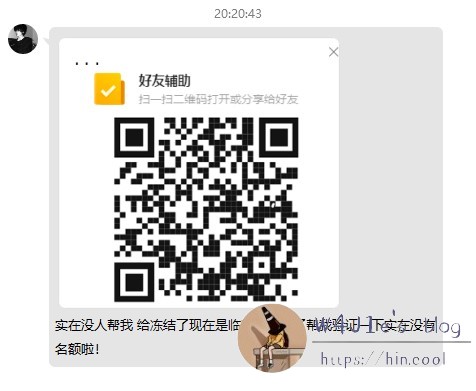
After decoding the QR code, the link turned out to be:
<table> <thead> <tr> <th>http://superfusionfive.com/#/ 备注:好家伙,直接用顶级域名</th>
</tr>
</thead>
<tbody>
<tr>
<td></td>
</tr>
</tbody>
</table>
What the attacker was actually trying to do
The page itself looked fairly normal. A dynamic QR code sat in the center, with a one-click login button below it. At the bottom, there was also a link pointing to an official Tencent address.
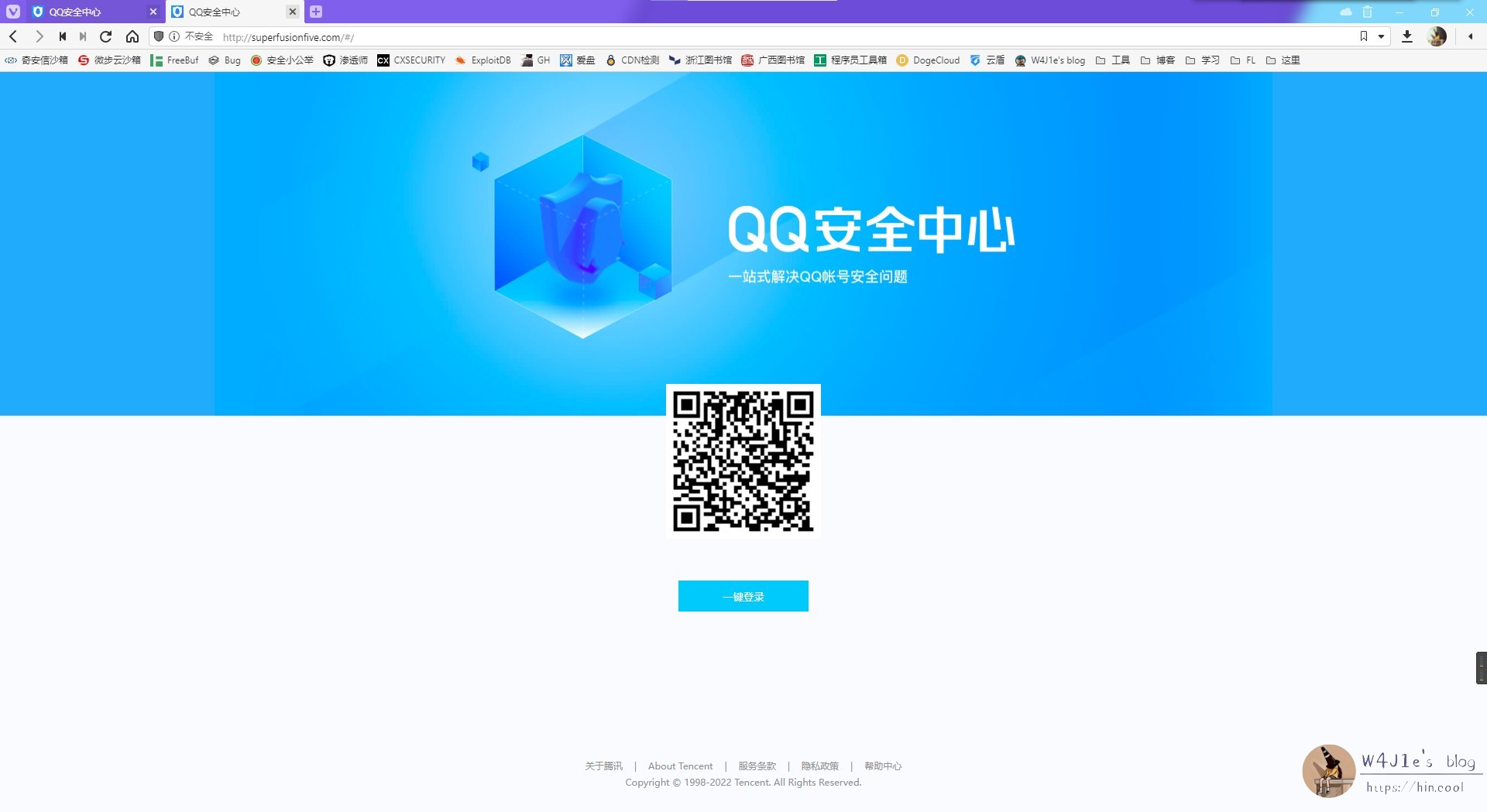
When opened on a phone, the page really could trigger QQ one-click login directly. That was the first moment it became genuinely confusing. If I used one-click login, what exactly would the other side get from it? Cookies?
Curiosity won. I scanned it with my own account. The interface showed two choices: “Allow login” and “Deny login.” Since my account is tied to a security phone and can be recovered if necessary, I chose to allow it.
The page immediately jumped to a verification code input screen. At the top were the words “friend assistance,” which made the whole thing more deceptive, because Tencent really did send a text message with a code.
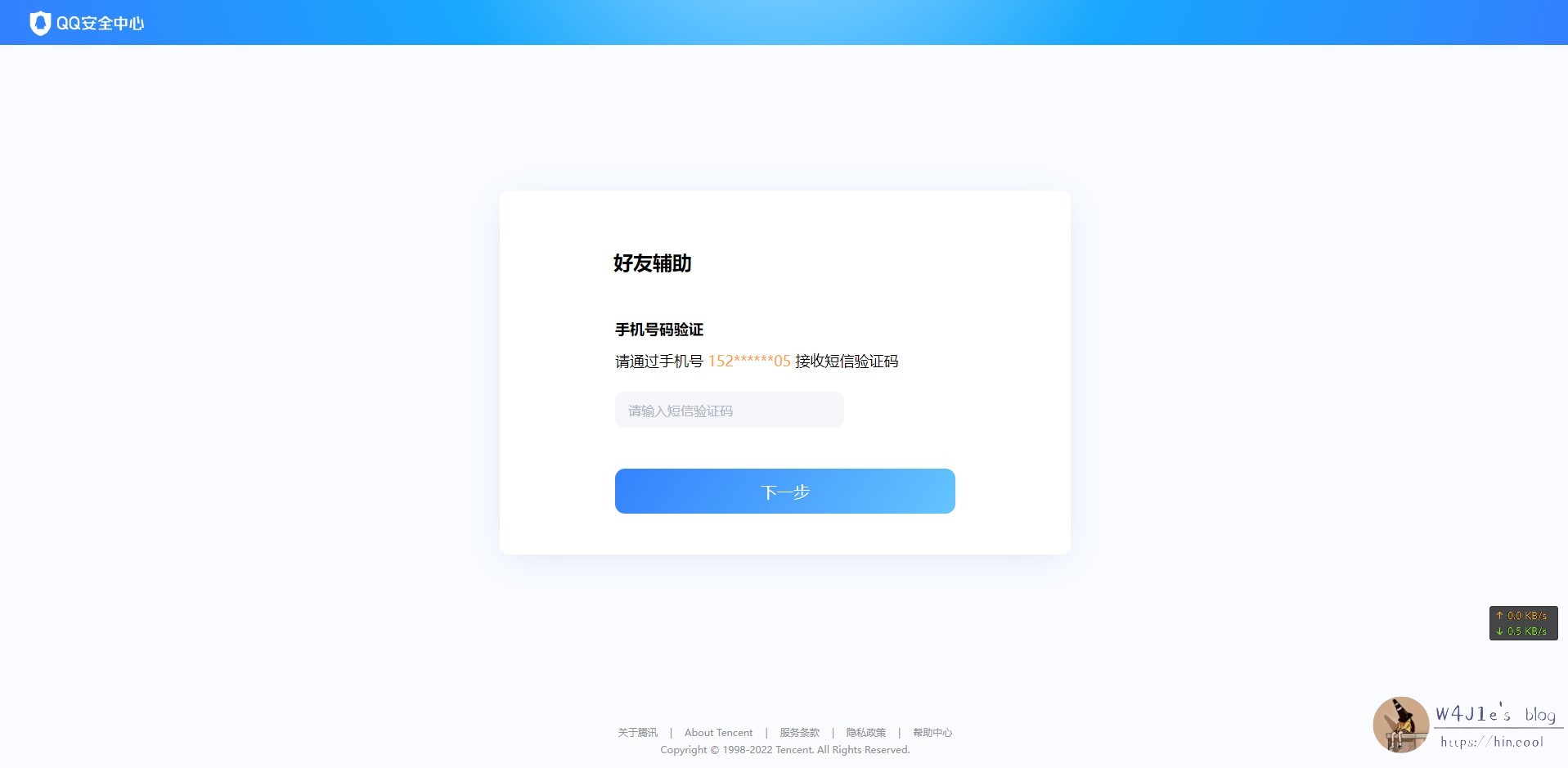
But the SMS said this:
<table> <thead> <tr> <th>【腾讯科技】你正在【修改QQ89xxxx23的密保手机】,验证码xxxxxx,提供给他人会导致QQ被盗和资产损失,若非本人操作,请修改密码。</th>
</tr>
</thead>
<tbody>
<tr>
<td></td>
</tr>
</tbody>
</table>
That changes the picture completely.
This was not just an attempt to steal a password. The attacker was trying to trick the victim into changing the bound security phone number. If an inexperienced user believed the “friend assistance” story and entered the code, the attacker would end up with full control of the account.
That is a much more dangerous and much more sophisticated approach than the usual fake-login-page scam.
Why this works on people
The clever part is not technical brilliance. It’s how the attacker arranges the steps.
First, they avoid the classic “obviously fake” login link and hide the destination behind a QR code. Then they use a real QQ one-click login flow, which makes the process feel legitimate. Finally, they place the verification code page behind that flow and label it in a misleading way.
At that point, someone who is careless, rushed, or simply unfamiliar with account security may stop asking the right questions. They may see an official-looking page, receive a real Tencent SMS, and assume the whole process is safe.
But the SMS itself tells the truth — if you actually read it.
After that
The phishing site used a static web page, so there was no obvious backend to probe. Its resolution pointed to Cloudflare, which made brute-force retaliation or direct disruption unrealistic. A search through threat intelligence sources also didn’t turn up anything especially useful.
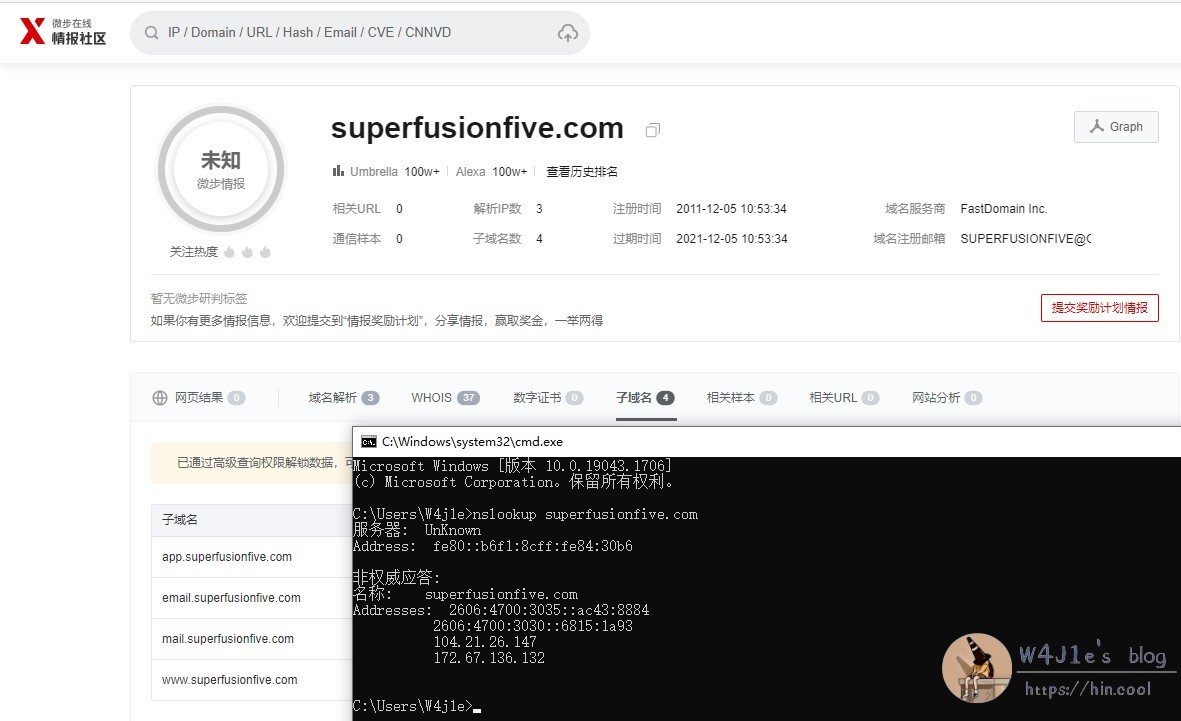
Whenever I see this kind of thing, I understand why people admire the security experts who somehow “accidentally” find their way into scammer backends. But ordinary users cannot count on someone else to clean up the internet for them every time.
The only reliable option is to protect yourself.
If you receive a strange message, slow down for a moment. Check whether the root domain is correct. Confirm with the sender through another channel if possible. Don’t chase small benefits, and don’t trust your own first impression too much just because a page looks polished.
Even employees at major internet companies have fallen for internal-email scams. That alone should be enough to remind anyone that being online for years does not make you immune.