I’m Redis
Hello—I'm Redis. I was brought into the world by a man named Antirez.

My story is closely tied to MySQL, the classic relational database.
Before I showed up, MySQL had a rough life. Internet applications were growing fast, data volumes kept climbing, and user traffic surged along with them. Every request turned into more reads and writes against the database, and MySQL had to carry all of it. Shopping festivals and traffic spikes only made things worse.
Later, MySQL confided something important: a huge share of requests were reads, and many of them were asking for the exact same data again and again. That meant the database kept doing repetitive disk I/O for no good reason.
So people started thinking: CPUs have caches—why not give databases one too?
That was my beginning.
Not long after I was born, I became MySQL’s regular partner. We often appeared together on backend servers.
The pattern was simple: when an application fetched data from MySQL, it could also register that data with me. The next time the same data was needed, the application would ask me first. Only if I didn’t have it would it go back to MySQL.
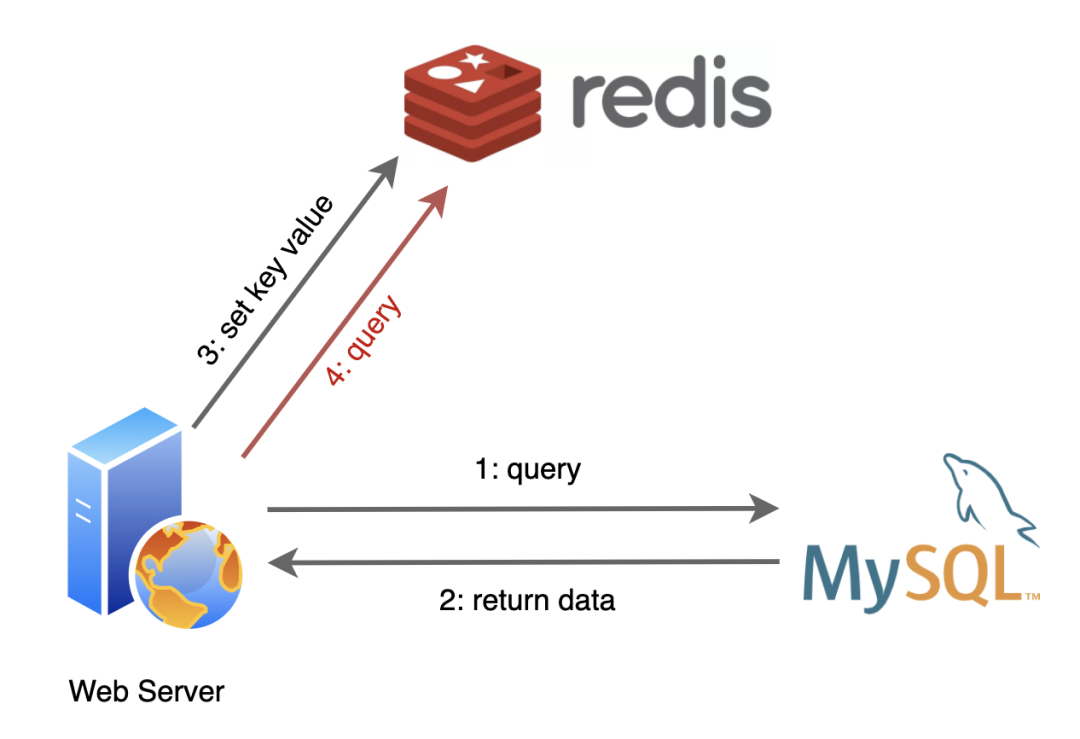
To make this practical, I support several data structures:
- String
- Hash
- List
- Set
- SortedSet
- Bitmap
- ······
Because I keep cached data in memory, I can avoid the painfully slow disk I/O that databases often rely on. Reading from me is usually much faster than reading from MySQL.
It sounds like a small change, but it made a real difference. As applications kept running, I stored more and more useful data. A large share of user requests never had to reach MySQL at all, because I intercepted them first. That took a serious load off the database.
And with that, overall service performance improved a lot.
Expiration and eviction: memory isn’t unlimited
Of course, this comfortable life had a problem.
Everything I cache lives in memory, and memory—even on a server—is limited. I couldn’t just keep storing data forever. Sooner or later I needed a way to free space.
The first solution I came up with was expiration: let cached entries have a timeout. Applications could decide how long each piece of data should live, and my job would be to remove it after it expired.
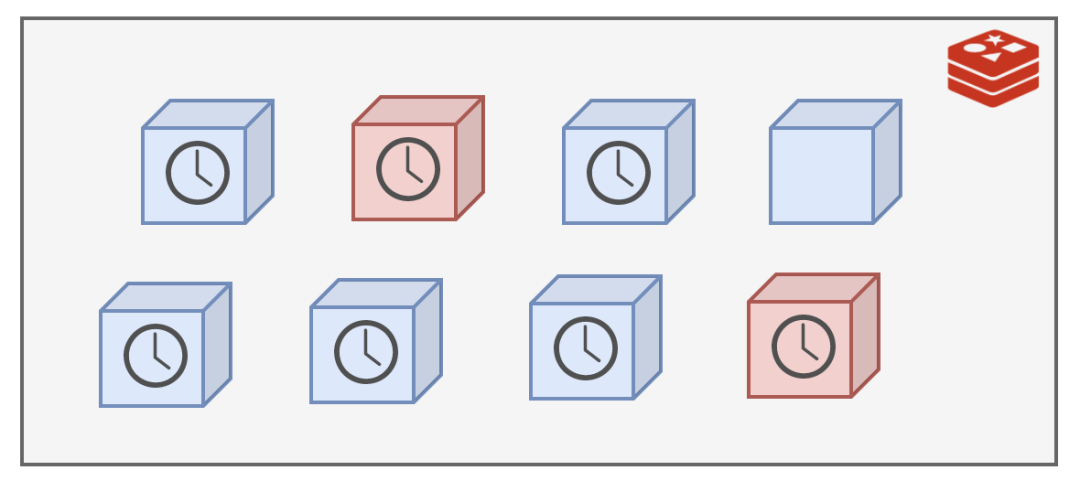
But then another question appeared: when exactly should I do the cleanup?
The most straightforward answer was periodic deletion. I chose to do a cleanup pass every 100 milliseconds—10 times per second.
Still, I couldn’t scan every key every time. I hold a lot of data, and a full sweep would take too long and interfere with handling new requests.
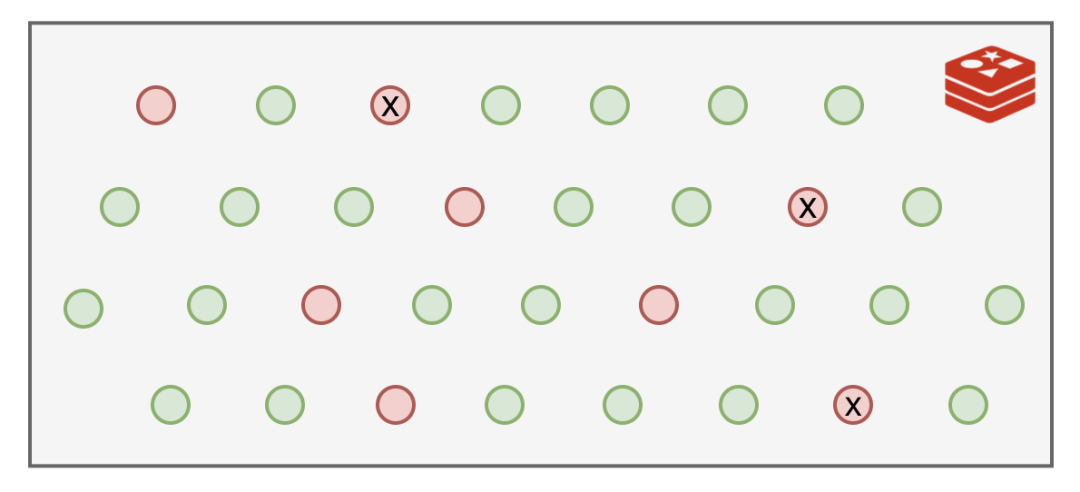
So instead, I randomly sampled part of the keyspace and cleaned expired entries from that subset. That was enough to ease memory pressure without turning cleanup into a burden.
After a while, though, I noticed a flaw. Some expired keys were simply lucky: they never got picked by the random cleanup process. They stayed in memory long after they were useless, still occupying space.
I couldn’t let that continue.
So on top of periodic deletion, I added another trick.
If one of those keys escaped random cleanup but later got accessed by a query, I would check its expiration then and there. If it had already expired, I’d delete it immediately.
Because this only happens when a request touches the key, it’s called lazy deletion.
But even that wasn’t enough in every case. Some keys could avoid random cleanup and never get queried again, which meant they still lingered in memory.
At the same time, available memory kept shrinking.
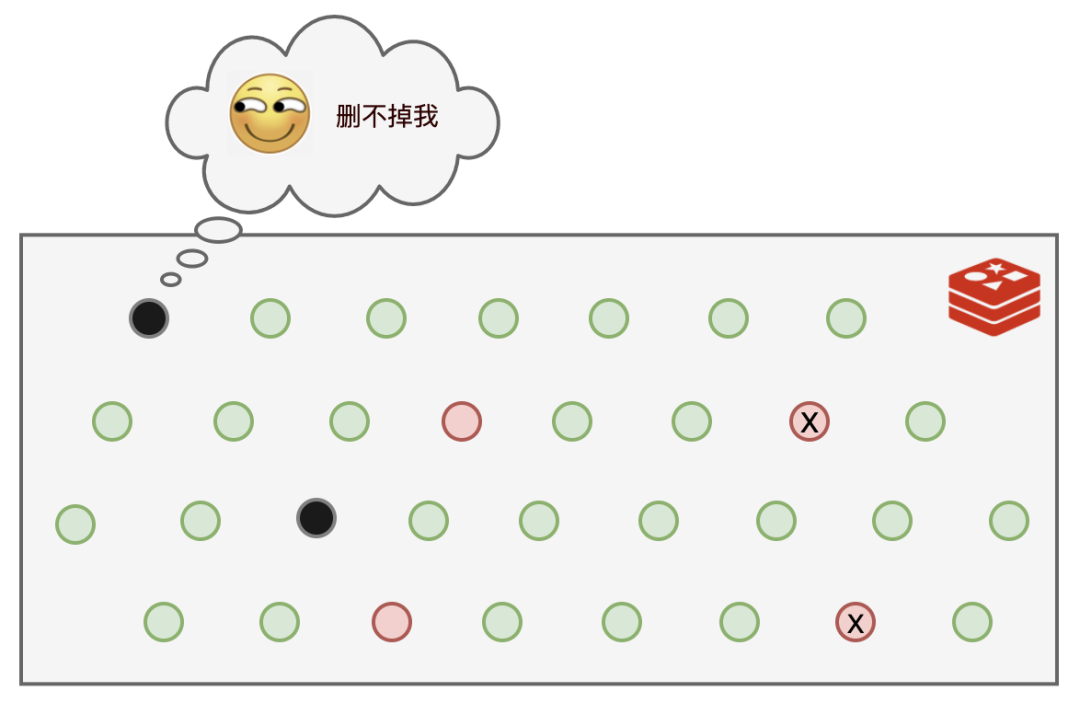
And there was another problem. Even if expired data could eventually be removed, what if many keys had long expiration times and memory filled up before those timeouts were reached?
So I needed something stronger.
That’s when I came up with a bigger move: memory eviction policies. These decide what to do when memory runs short.
I provide eight policies for applications to choose from:
- noeviction:返回错误,不会删除任何键值
- allkeys-lru:使用LRU算法删除最近最少使用的键值
- volatile-lru:使用LRU算法从设置了过期时间的键集合中删除最近最少使用的键值
- allkeys-random:从所有key随机删除
- volatile-random:从设置了过期时间的键的集合中随机删除
- volatile-ttl:从设置了过期时间的键中删除剩余时间最短的键
- volatile-lfu:从配置了过期时间的键中删除使用频率最少的键
- allkeys-lfu:从所有键中删除使用频率最少的键
With expiration, periodic cleanup, lazy deletion, and eviction policies working together, I no longer had to fear expired data or memory pressure overwhelming me.
Cache penetration and Bloom filters
Life was going fairly well for me, but MySQL still had a headache of its own.
Sometimes requests came in asking for data that didn’t exist at all. MySQL would still have to process the query, only to discover there was nothing there. Worse, because the result didn’t exist, I couldn’t cache it in the normal way. So when the same request came in again, it would once again go all the way to MySQL and waste its effort.
That’s what people call cache penetration.
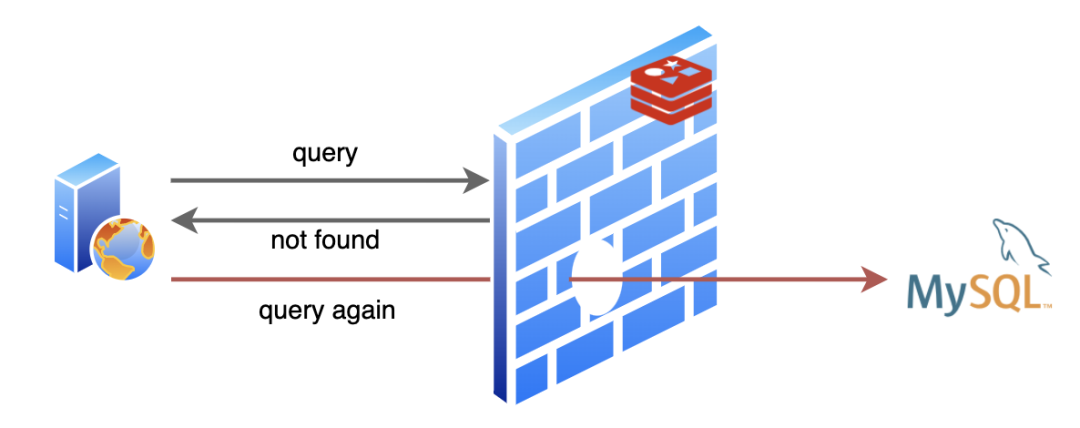
After dealing with enough of those pointless requests, MySQL finally complained to me: can’t you help block some of the queries that are obviously never going to return anything?
That reminded me of another friend of mine: the Bloom filter.
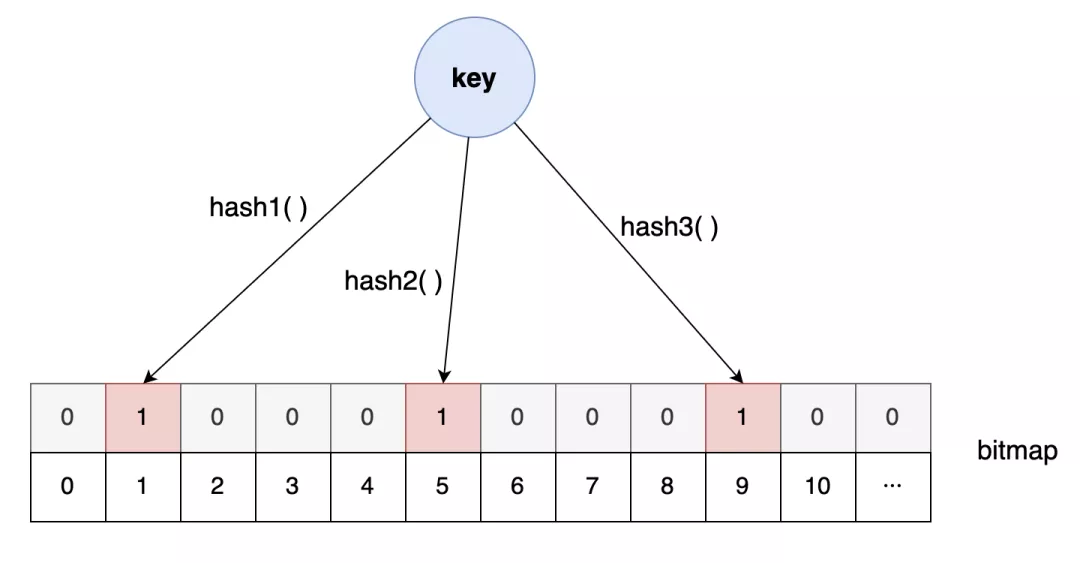
This friend is especially good at one thing: quickly telling you whether a piece of data may exist in a very large dataset.
There is one catch, though. If a Bloom filter says an item does not exist, that answer is reliable. But if it says an item does exist, you can’t trust it completely—it might be a false positive.
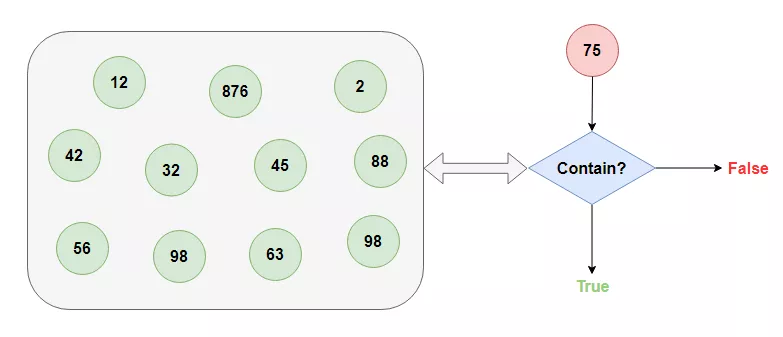
Even so, that was enough to help. Once applications started using a Bloom filter, requests for definitely nonexistent data no longer had to bother MySQL. It was an effective way to reduce cache penetration.
Cache breakdown and cache avalanche
Things stayed peaceful for a while—until one day they didn’t.
MySQL had been taking it easy when suddenly a wave of requests crashed into it all at once. It was caught completely off guard.
After scrambling to handle the load, it came storming over to ask me what had happened.
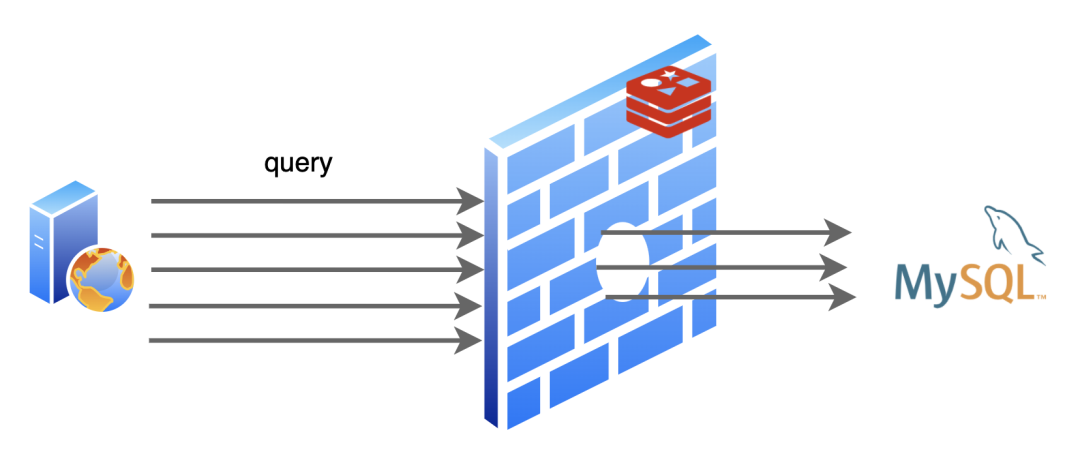
I checked the logs and explained: one piece of hot data had just reached its expiration time, so I deleted it. Right afterward, a large number of requests arrived asking for that exact data. Since I no longer had it cached, every one of those requests fell through to MySQL.
MySQL wasn’t pleased.
At the time, I didn’t think too much of it. But a few days later, something even worse happened.
Another huge burst of traffic slammed into MySQL, this time on a much larger scale. It got overwhelmed repeatedly before the surge finally passed.
When things calmed down, MySQL asked again what went wrong.
The answer was worse than before: this time, a large batch of cached data had expired at nearly the same moment, and then many requests arrived for all of it. Compared with the previous incident, the impact was far bigger.
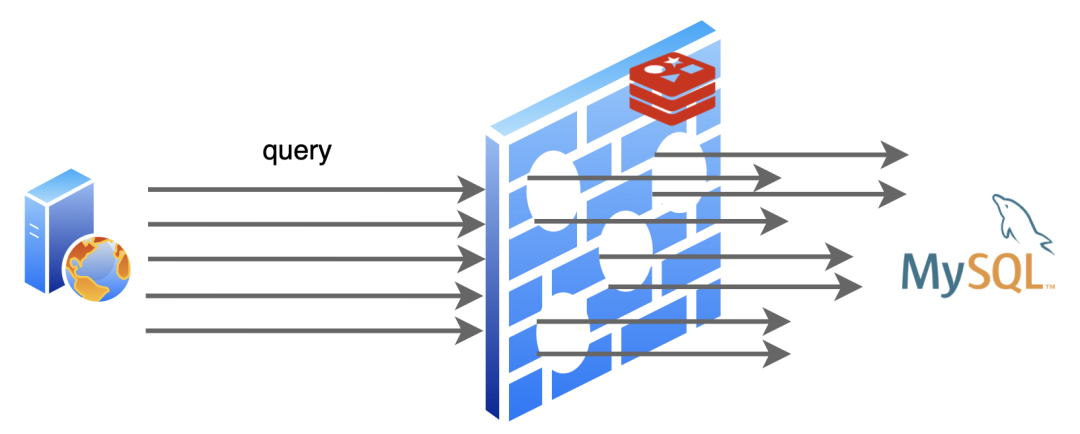
MySQL frowned and told me this couldn’t keep happening.
I had to admit the expiration times weren’t something I set on my own. Applications decide them. So I suggested we talk to the applications and make the TTLs more spread out, instead of letting a large amount of cached data become invalid together.
That’s what we did.
Later, two improvements were made:
- expiration times were randomized to avoid many keys expiring at once
- hot data was configured never to expire
That helped a lot.
We also gave names to those two painful episodes. The first was cache breakdown: a highly requested hot key expires, and the resulting traffic punches straight through to the database. The second was cache avalanche: many cached keys expire together, causing a large-scale flood of requests to hit the database at once.
After that, life became comfortable again.