What a DNS leak actually means
A DNS leak happens when your DNS queries are still exposed to your ISP’s DNS servers even though you are using a VPN or another proxy tool and expect those requests to be hidden. In practice, this is mostly discussed in the context of VPNs, but the same concern also applies to proxy users and even people connecting directly if they care about how DNS is handled.
The risk is straightforward. You may be sending your traffic through a VPN or proxy, but if your system’s DNS lookups are still being resolved by your ISP or by public DNS providers, then both your real IP and the domains you request can be logged. Looking up ordinary domestic websites may not seem unusual, but if those DNS requests repeatedly involve sensitive domains such as Telegram or WikiLeaks, they can attract attention from network operators or regulators.
That is why DNS handling and routing rules are not a minor detail. If the proxy policy is not set up correctly, traffic may appear protected while the DNS layer is still revealing what you are trying to access.
How to check whether DNS is leaking
You can test for DNS leaks with any of the following sites. The first one is usually the fastest:
- https://browserleaks.com/dns
- https://ipleak.net/
- https://whoer.net/zh/dns-leak-test
The key thing to compare is the country of the DNS servers shown in the result and the country of your visible exit node IP. If everything points to the same location, then there is generally no DNS leak. If multiple DNS servers from different places appear, then a leak is very likely.
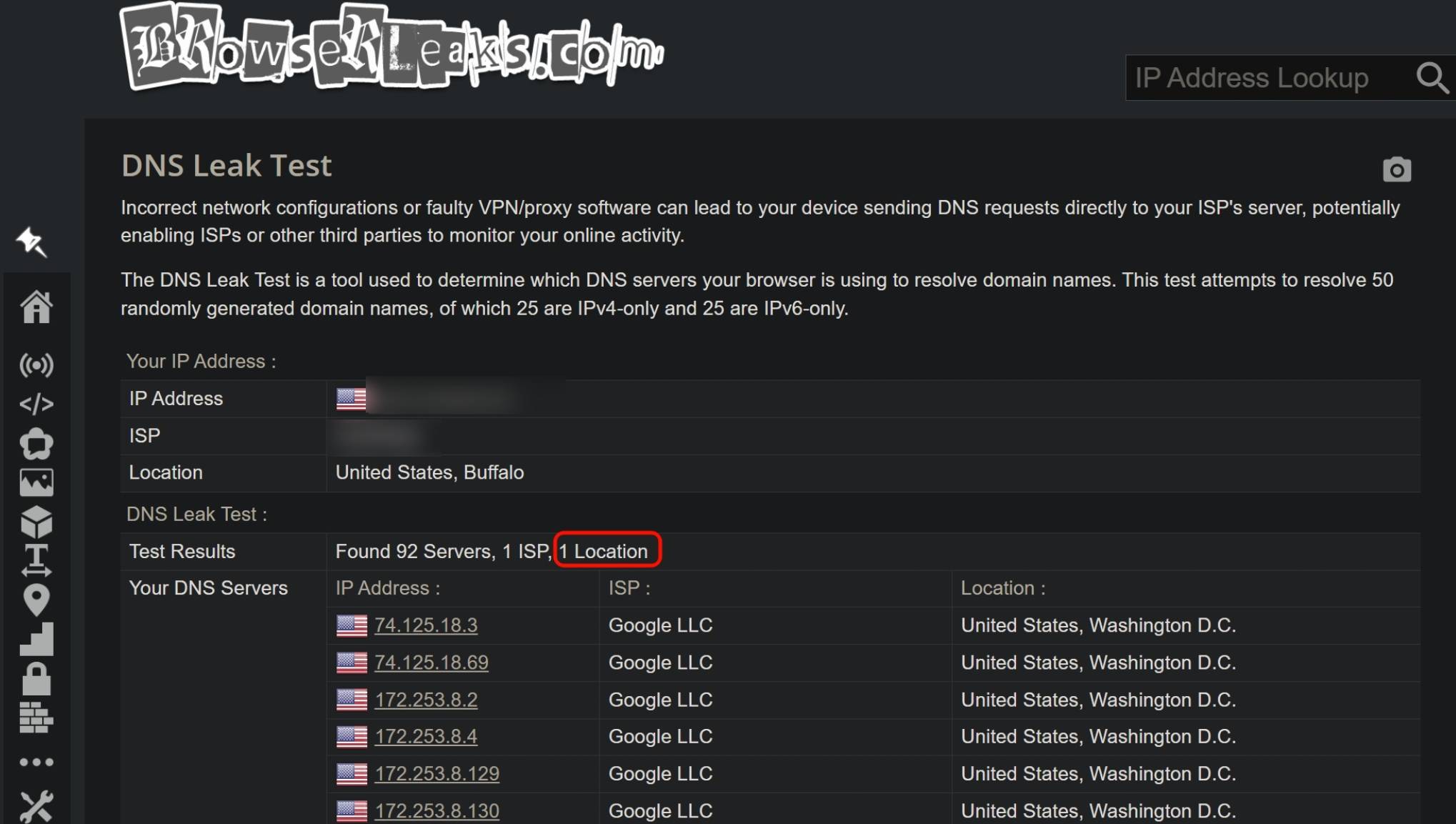
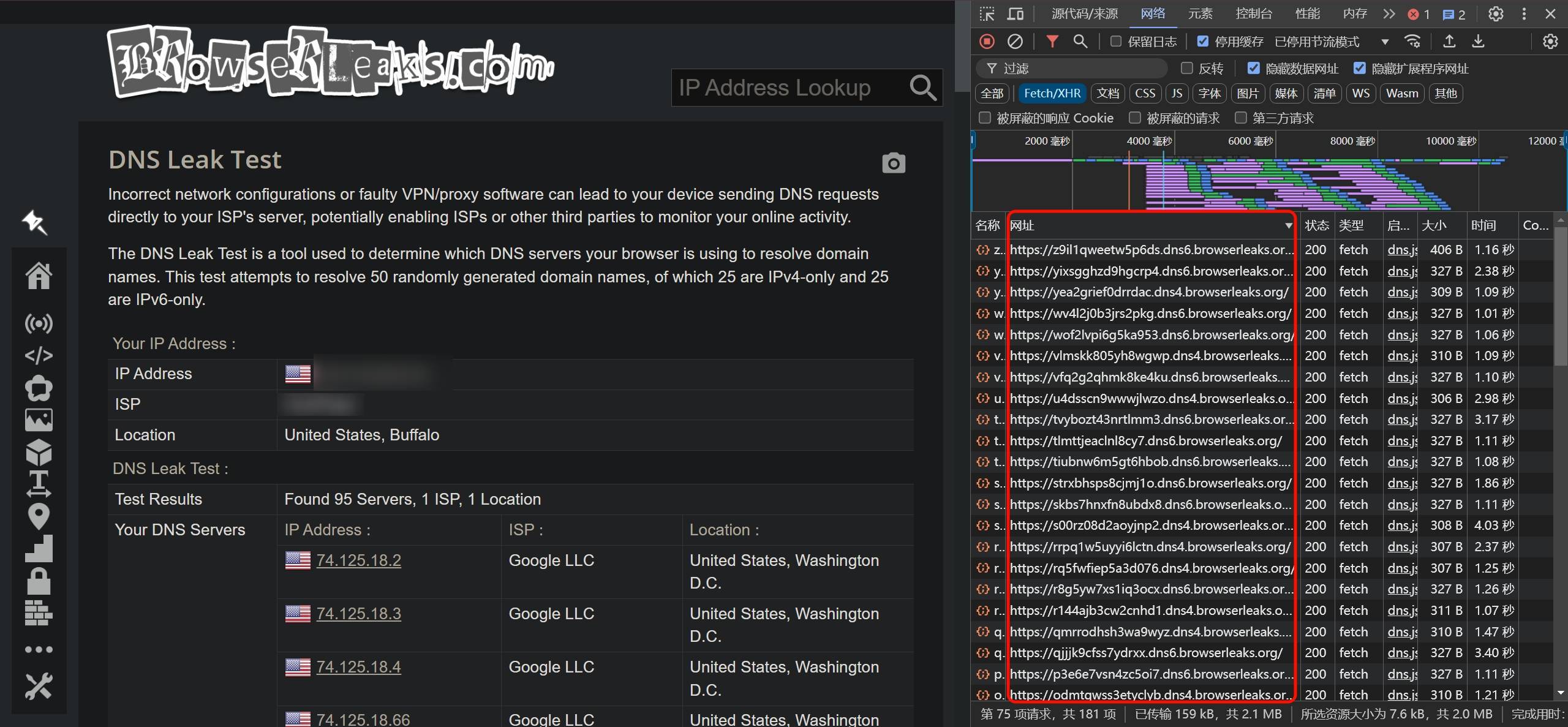
The detection logic is not complicated. When you open a DNS leak test page, the site generates several random wildcard subdomains. Your device then sends lookup requests for those subdomains to its configured upstream DNS server. Because those random subdomains will not already exist in cache, the DNS server must recurse further upstream until the request reaches the authoritative DNS server for the leak test site. At that point, the authoritative server can record the source IP of the DNS resolver that made the query and associate it with the generated domain. The website then displays that DNS server information back in the browser, making it possible to judge whether your DNS path matches your intended proxy path.
Blacklist mode and whitelist mode
Proxy routing usually falls into two broad patterns: blacklist mode and whitelist mode.
In blacklist mode, only domains on the blacklist are proxied. Everything else goes out directly.
In whitelist mode, only domains on the whitelist go out directly. Everything not on the whitelist is sent through the proxy.
Whitelist mode is more suitable for people who mainly browse overseas sites and run their own nodes. Blacklist mode is usually a better fit for users who only occasionally access foreign sites and want to conserve traffic.
In V2Ray, whitelist-style behavior is often called bypass mainland China. In Clash, if the final MATCH rule in the YAML file uses DIRECT, that is blacklist mode; if it uses proxying, that is whitelist mode.
Blacklist mode in Clash
Take Clash as an example.
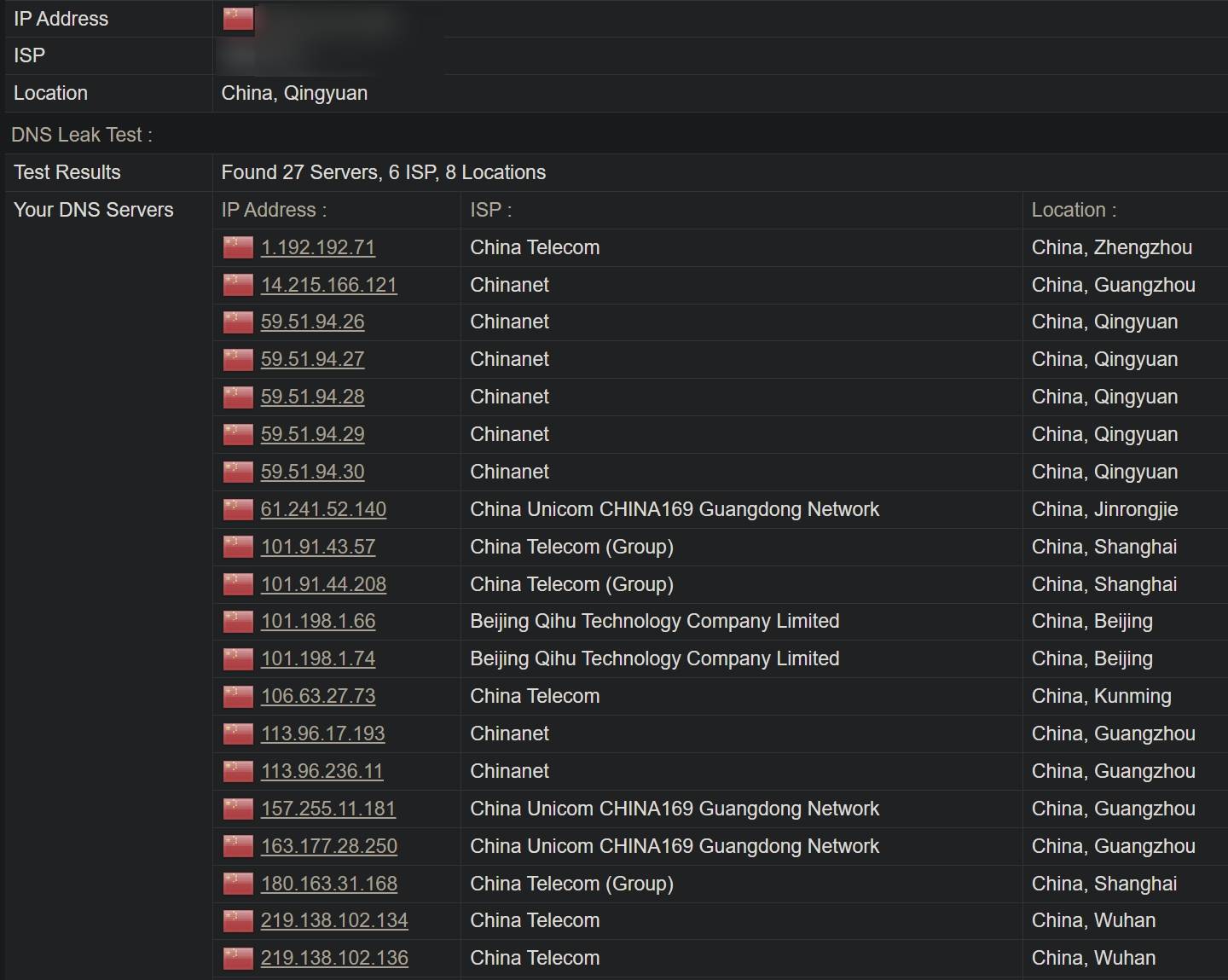
In blacklist mode, if none of the rules match a domain, the final MATCH rule typically sends it out with DIRECT. If https://browserleaks.com/dns is not included in your routing rules, then the site itself is accessed directly rather than through the proxy. In that case, you would normally expect all DNS servers shown by the test to be in the same country as your real direct IP, which in this example would be China.
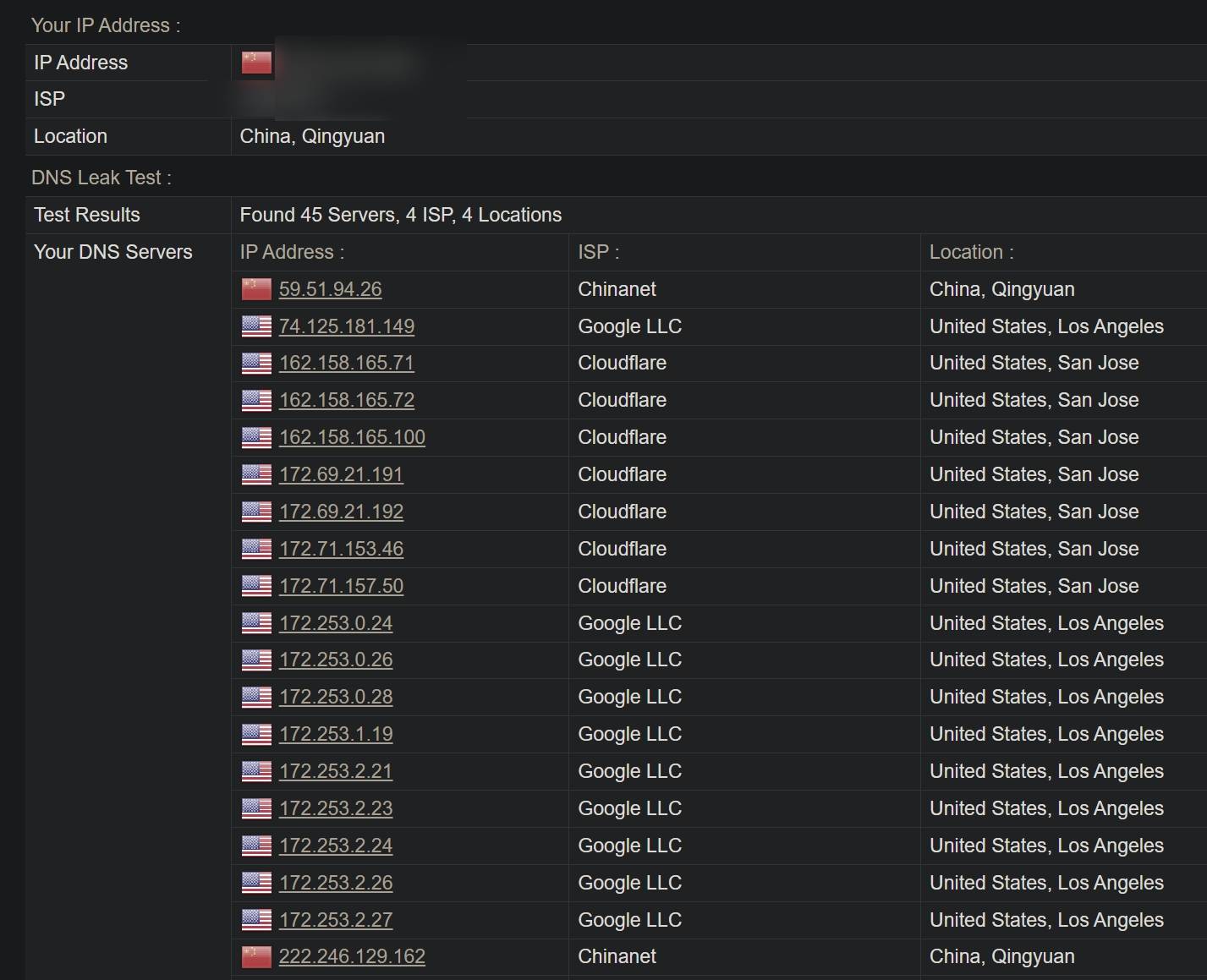
But sometimes the result does not look that tidy. The page may show your local IP as a direct Chinese IP while one of the DNS servers appears to be in the United States. Is that a DNS leak? Not necessarily.
If the site itself was never proxied, then that result alone does not prove a leak. A common reason is that Clash’s DNS section is configured with overseas DNS resolvers.
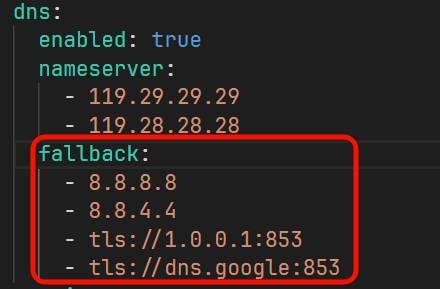
The fallback field often contains Google DNS, Cloudflare DNS, or DoT servers. That mechanism is meant to reduce DNS poisoning. If a DNS server listed under nameserver returns an IP whose location is outside the country, Clash may prefer the answer returned by a server in fallback, because a domestic resolver returning a foreign IP may have provided a poisoned result.
However, Clash has already moved away from redir-host mode and now commonly uses fake-ip mode. In fake-ip mode, the client that asks for DNS resolution receives a virtual IP from the 198.18.0.1/16 range, and Clash itself does not need to make a traditional DNS request in the same way. Because of this, the fallback field can be left empty or changed to domestic DNS servers instead. Using your ISP’s DNS is generally recommended here.
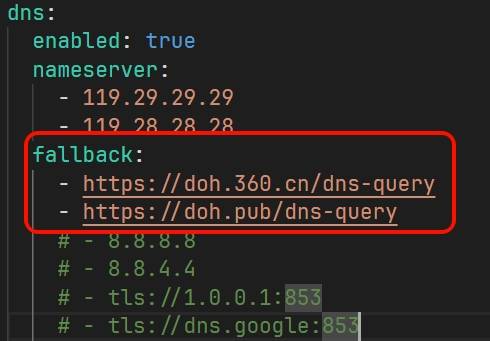
After that adjustment, the leak test will no longer show those overseas DNS servers. If the page does not update immediately, force-refresh with Ctrl + F5.
Whitelist mode in Clash
In Clash whitelist mode, if no rule matches the destination, the fallback MATCH rule sends the traffic through the proxy.
So if https://browserleaks.com/dns is not written into the routing rules, the site itself will be proxied. Since Clash uses fake-ip by default, Clash does not issue the DNS request in the ordinary way, and the final test result usually shows only DNS servers in the same region as the proxy node.
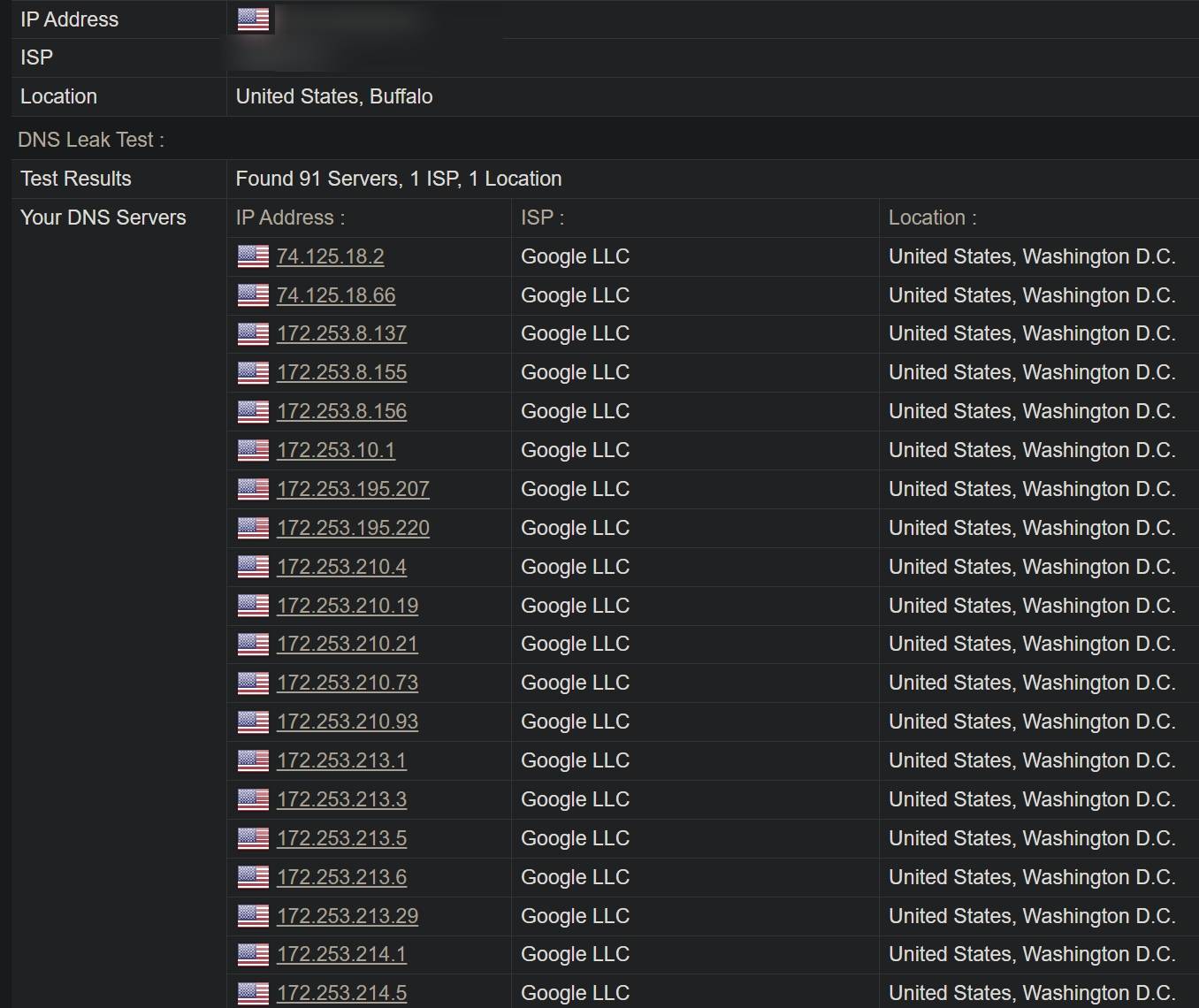
This means fake-ip can mitigate DNS leaks, but it does not guarantee that the problem is completely solved. The outcome still depends on whether the routing rules are complete and properly written.
If your Clash configuration includes IP-based routing rules while using fake-ip, those rules should end with the no-resolve attribute to prevent DNS resolution. Otherwise, Clash may still trigger DNS lookups and expose them. For example:
1 2 3 4 5 6</th>
<th>rules: - IP-CIDR,172.16.0.0/12,DIRECT,no-resolve - DOMAIN,ad.com,REJECT - GEOSITE,CN,DIRECT - DOMAIN-SUFFIX,qq.com,DIRECT - MATCH,PROXY # 所有规则都没有匹配到要访问的域名或者IP时,走代理</th>
</tr>
</thead>
<tbody>
<tr>
<td></td>
<td></td>
</tr>
</tbody>
</table>
Suppose the domain x.com is checked against those rules in order. Since x.com cannot be directly compared with IP-CIDR, Clash may try to resolve it first, which creates a DNS request. Adding no-resolve prevents that local resolution and reduces the chance of a leak.
There is also a tradeoff in this style of whitelist configuration: sometimes it sends traffic the long way around.
Imagine that lololowe.com does not exist in the GEOSITE data used by the rules above. It would eventually fall through to MATCH,PROXY and be accessed through the proxy. But if the actual IP behind that domain is located in mainland China, using the proxy is unnecessary and slower.
To reduce this kind of detour, the routing rules should include as many common domestic sites and domestic IP ranges as possible. In other words, expand the whitelist. One practical way is to reference remote rule files from projects such as ruleset&geodata to improve coverage.
If you frequently visit niche sites that do not match existing rules and do not want them all forced through the proxy, you can insert a rule like - GEOIP,CN,DIRECT before the final MATCH rule. That allows Clash to resolve the real IP and decide based on geolocation, which can avoid unnecessary proxying. The downside is that this may reintroduce DNS leakage for those lookups. For ordinary non-sensitive sites, that tradeoff is often acceptable.
The limitations of fake-ip
fake-ip solves one problem by creating another.
Because it returns addresses from the reserved 198.18.0.0/15 benchmarking range rather than the real destination IP, some applications do not work properly. Tools such as ping and nslookup in the terminal can fail, and port-scanning tools like nmap may time out because they are not dealing with the true address.
A practical workaround is to turn off Clash system proxy mode and TUN mode, then use a browser extension such as Proxy SwitchyOmega 3 to send browser traffic through Clash’s SOCKS5 proxy instead. SOCKS5 uses remote DNS resolution by default, although Chrome also needs webpage preloading disabled for this to behave as expected.
On routers running OpenClash or Shellclash, enabling bypass mainland China IP can also help. Another option is to add domains that must not use fake-ip to the fake-ip-filter field in the configuration.
A few extra notes on proxy use
For V2Ray, it is a good idea to keep the domain resolution strategy set to AsIs in the routing settings. That helps prevent local DNS resolution from exposing requests.
Even when fake-ip hides what domains you are querying from network observers, some websites use stricter detection methods. They may compare your IP location with your system timezone, browser language, or other signals to decide whether you are using a proxy. That can trigger account risk controls even if your DNS setup is clean.
Useful browser extensions for reducing those mismatches include:
- Change Timezone for Google Chrome™: automatically switches timezone based on the detected IP location.
- Locale Switcher: changes the browser locale.
- CthulhuJs (Anti-Fingerprint): improves privacy and disguise by modifying browser fingerprint characteristics, though it is not open source.
For safer browsing overall, stronger measures such as anti-fingerprint browsers, Tor Browser, encrypted SNI, and encrypted DNS are worth considering.