At the beginning of August, I was introduced to a project on optimizing the operation of pump stations and clean-water tanks in a city’s water supply network. When I first heard about it, I was honestly a little nervous. It felt like the kind of project where, if I messed it up, I would embarrass both myself and my advisor. But he said something that instantly took the pressure off: just go do it, and if it doesn’t work out, I’ve got your back.
That was all I needed.
More than four months later—after weekly PPT updates, repeated redesigns, debugging sessions that felt endless, algorithm work, matching the model to real operating logic, wiring up database input and output, and finally deploying it online—the project was finished. It was frustrating at times, rewarding at others, and educational almost the entire way through. Looking back, I learned far more from the process than I expected.
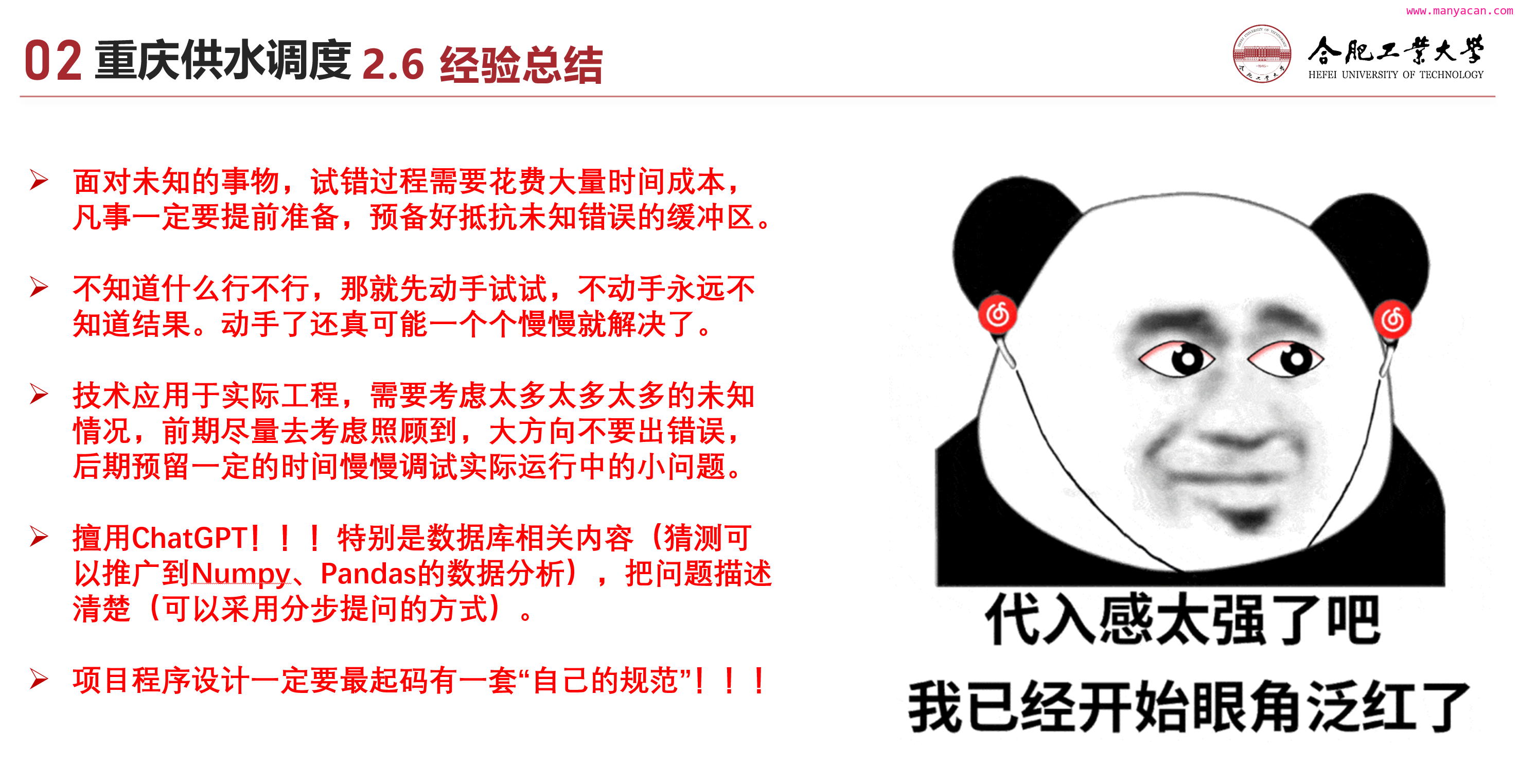
Time costs are always larger than they look
When you are dealing with something genuinely unfamiliar—especially work that doesn’t have much precedent to copy from—trial and error carries a heavy time cost. You need to prepare early and leave yourself a buffer for the unknown.
Before the project started, the initial schedule was set at about two and a half months. We planned around two months of active work and kept half a month in reserve as a safety margin. At the time, that felt generous.
In reality, the project took more than four months, nearly double the original estimate.
The biggest lesson here was simple: research thoroughly before committing to a direction. The earlier the main route is corrected, the less time gets wasted later.
At the beginning, after several rounds of communication with the client, the chosen direction was a “smart scheduling model driven by historical data.” From August until just before the National Day holiday, that was the path we followed. Then, right before the holiday, it became clear that the route had a fatal flaw. We had to change course and switch to a model based on interval flow balance and a genetic algorithm.
That meant a large amount of early work was effectively abandoned.
What makes this more memorable is that this new approach had actually been mentioned to me on day one. My advisor had already pointed out that pump station scheduling was a very natural fit for a Genetic Algorithm (GA), because the on/off combinations of pumps are well suited to that kind of search. At the time, though, I barely knew what a genetic algorithm was, so I didn’t really grasp the significance of what he was saying.
Now it is obvious to me that he had a much stronger instinct for the big-picture direction. If we had followed that route from the start, we probably could have saved a lot of effort.
Another part of the project that made the time-cost issue painfully clear was the database integration between the model and the web frontend.
My job was to build the model. The model had to read inputs from the database and write outputs back to it. A different team handled the web frontend, and the frontend displayed whatever had been stored in the database.
The serious problem was not technical at first—it was logical.
Because both the frontend and the model were directly tied to the database, the frontend team should have clarified user requirements before finalizing the database structure with the modeling side. But that was not how things unfolded. They were still adding new user requirements while simultaneously discussing database write formats with us.
That created a moving target. The frontend was changing requirements and database expectations at the same time, and my model had to keep adapting to both. I ended up making several major structural changes to my output format, which cost a lot of time.
So yes, collaboration matters—but collaborating with a reliable team matters even more.
Thinking about it is not the same as doing it
If you don’t know whether something will work, try it first. Without getting your hands dirty, you never really find out. And once you start, one problem after another often becomes solvable.
When we were preparing to switch technical direction around the National Day period, my advisor suggested using GA. He was confident it matched the problem well. I, however, knew basically nothing about it.
And for unfamiliar things, fear is often the first reaction.
The moment I heard the word “algorithm,” it felt as if a mountain had been dropped in front of me. I had to learn a new method quickly and apply it in a real project? That sounded far too difficult. So my instinct was to keep looking for a way to preserve the original route.
Only when it became undeniable that the old path was dead did I force myself to start learning GA.
And then something almost funny happened: once I actually started, it was not nearly as terrifying as I had imagined. From first contact to getting it into the project, it took only a few days.
That experience left me with two very direct conclusions.
- Confidence matters. New things are difficult, of course. But difficulty is not the same as impossibility.
- Progress compounds. You do not have to solve everything at once. A little progress every day can carry you much farther than anxiety ever will.
In engineering, the big strategy comes first
Real engineering forces technology to leave ideal conditions behind. You need to think broadly at the beginning, avoid getting the overall direction wrong, and then reserve enough time later to handle the smaller issues that only appear in actual deployment.
Even if scientific research on a method feels 98% complete, getting even 30% of that into practical application can already be a solid achievement. The gap between science and technology is real.
That gap comes from all the messy, unglamorous, unpredictable conditions that show up when a method leaves controlled settings and enters the real world. Research is often done in relatively ideal environments. Real systems are not ideal.
There probably is no perfect way to eliminate this gap. The best you can do is anticipate as many practical scenarios as possible during development, and then leave a large amount of time for debugging after deployment.
That part is unavoidable.
Make good use of the tools available
Use ChatGPT well—especially for database-related work, and probably for structured data analysis tasks in general. The key is to describe the problem clearly, preferably in steps.
The internet has surprised me in very few truly memorable ways. One of those moments happened this year with ChatGPT.
Throughout this project, all of my database-related operations were completed with ChatGPT’s help. For highly structured tasks like database manipulation, it performed extremely well. In my experience during this project, the answers were consistently useful and almost never wrong.
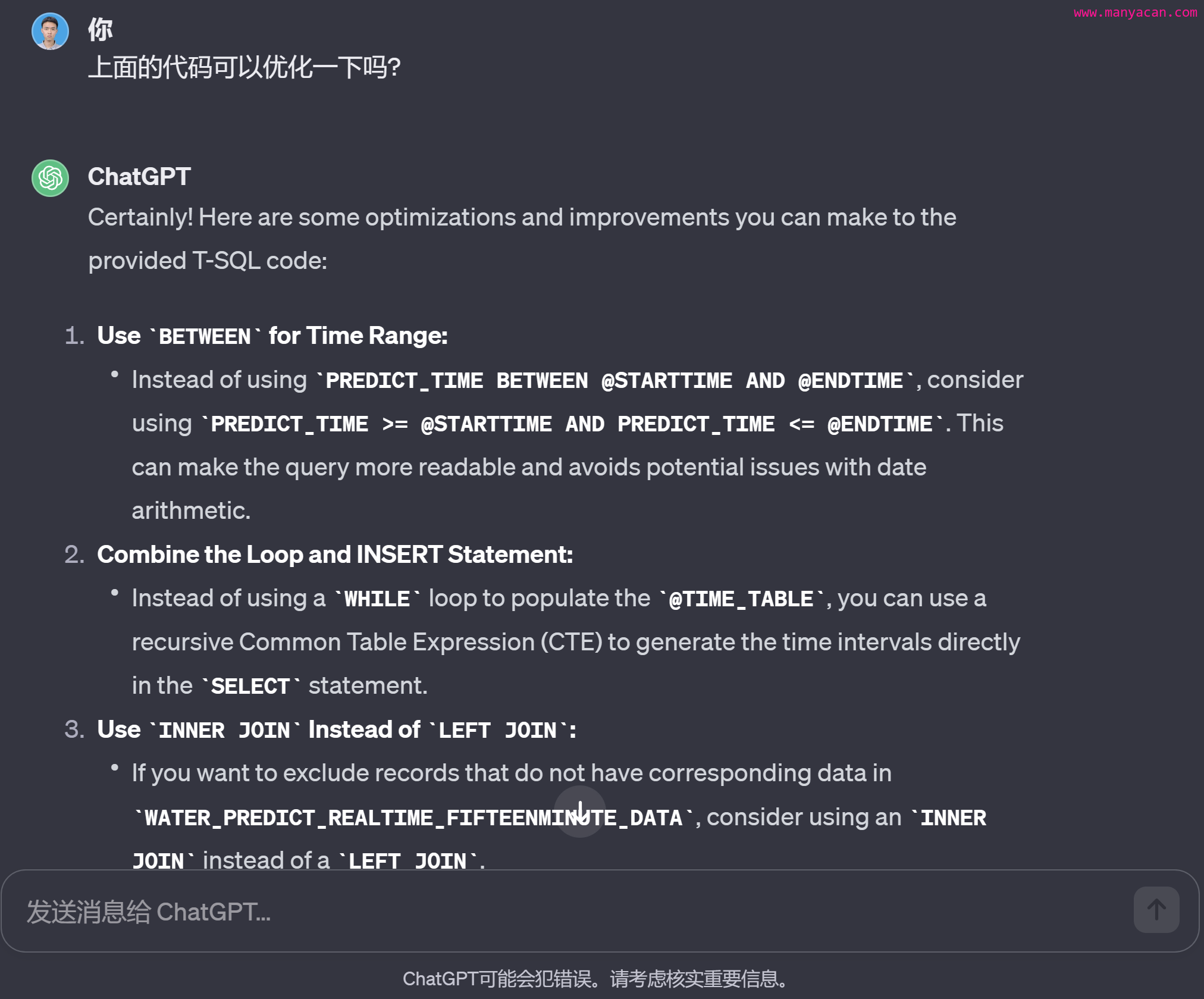
Another place where it helped a lot was learning foundational material. Recently, while studying graph theory, I did not rely on video courses at all. I learned by interacting with ChatGPT step by step, and that significantly improved my efficiency.
For work like this, having a tool that can help explain concepts, draft database operations, and speed up structured problem-solving is genuinely valuable.
A very unofficial Python project guide
For a real project, you need at least some kind of coding standard of your own.
This project’s core file was close to 3,000 lines long, which made it the largest thing I had written so far. That was enough to make coding discipline feel less like a nice habit and more like basic survival.
When you write 10 lines of code, structure hardly matters. When you write 1,000 lines, you may not even remember what you were thinking at the beginning. At that scale, comments, organization, and consistency start paying for themselves.
Structured design
I do not mean that every project must rigidly follow one official Python style guide or some universal format. But if you are building something substantial—especially on your own—you need a system that makes sense to you and that you can stick to.
For example, I like giving each class a run() method as the entry point of the object:
if __name__ == '__main__':
    optimizer = Optimizer(
        log_level=logging.INFO  # logging.INFO, logging.DEBUG
    )
    optimizer.run()
It is not the only way to organize code, but having a consistent pattern makes a large project easier to read, maintain, and debug.
Virtual environments are not optional in bigger projects
In larger Python projects, virtual environments are incredibly important. At least three practical reasons stood out to me:
- The project may need to be deployed or tested on another machine. Without a virtual environment, recreating the same setup elsewhere becomes tedious.
- A virtual environment prevents other projects from contaminating this one, and also keeps this project from polluting the system-wide Python environment.
- If the program eventually needs to be packaged into an EXE or another executable, using a virtual environment helps avoid bundling irrelevant packages, which keeps the final package smaller.
To export all installed packages and their versions from the current environment, use:
pip freeze > .\requirements.txt
This creates a requirements.txt file in the root directory.
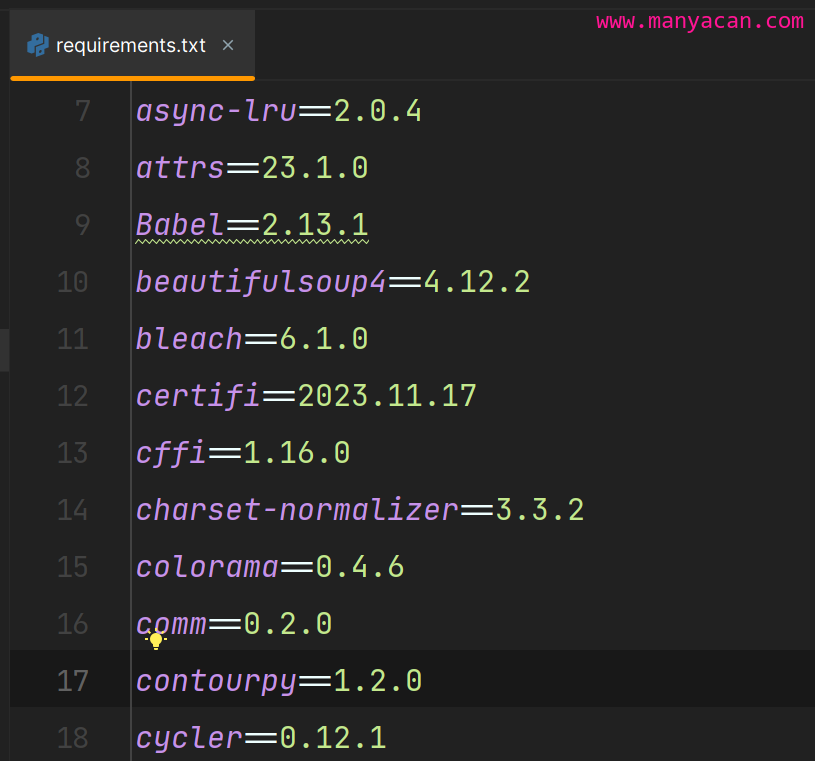
Then, on another machine, copy that file over and run:
pip install -r requirements.txt
That is the fastest way to reproduce the environment.
Packaging a Python program as an EXE
PyInstaller is one of the most convenient and widely used packaging tools for Python. It supports multiple operating systems, works with different Python versions and many common libraries, and has strong community support. If the goal is to package a Python application into a standalone executable, it is often the first tool worth trying.
A command I used looked like this:
(venv) PS D:\Code\Optimizer> pyinstaller -w -i favicon.ico --add-data="data;data" main.py
Here is what those parameters do:
-w: runs the program without a command-line window;-i favicon.ico: usesfavicon.icofrom the root folder as the application icon;--add-data="data;data": packages thedatafolder into the executable as a folder nameddata.
A few issues came up during packaging that are worth remembering.
Exception handling
After packaging, Python programs can crash instantly when an exception occurs, which makes debugging much harder. It helps to explicitly capture and handle exceptions:
try:  # 尝试捕获异常
    ...
except KeyError as e:  # 成功捕获异常
    print(e)
else:  # 未发现异常
    ...
finally:  # 最终要执行的
    ...
That way, errors become visible instead of disappearing in a flash.
File paths after packaging
If the program reads or writes files, path handling must account for the difference between running as a normal Python script and running as a packaged EXE. The following helper function solves that compatibility problem:
@staticmethod
def resource_path(*args):
    """
    获取文件路径, 兼容EXE打包问题
    :param args: 任意多个参数, 文件路径. 例如访问 './data/Setting_CQ.json'文件, 需要输入两个参数'data', 'Setting_CQ.json'
    :return: 组合后的绝对路径
    """
    if hasattr(sys, '_MEIPASS'):
        # 在PyInstaller打包后的可执行文件中
        return os.path.join(sys._MEIPASS, *args)
    else:
        # 在原始Python脚本中
        return os.path.join(os.path.abspath("."), *args)
Without handling paths this way, file access in the packaged version can easily break.
Looking back
Overall, this project was demanding, but in a good way. It forced me to confront uncertainty, switch technical directions midway, learn an algorithm under pressure, deal with cross-team coordination issues, and wrestle with the difference between a model that works in theory and one that can survive deployment.
I learned a lot from it, and more importantly, I felt myself grow through it.
Of course, if future client feedback could include a few fewer bugs, that would also be nice.