Getting Started with VideoScribe
VideoScribe quickly becomes addictive once you start exploring whiteboard animation. The appeal is easy to understand: it lets users create hand-drawn-style videos without having to animate every element from scratch. The difficulty is that the software is not cheap, while many of the supposedly free versions circulating online are unofficial, modified, or bundled with unwanted extras.

A number of download pages and community discussions warn that unofficial packages can be troublesome. Some versions are advertised as free but require payment, while others add advertisements, registration restrictions, or unclear installation components. That makes finding a clean learning copy more difficult than simply locating a download link.
Older versions can still be useful
The versions most commonly found in Chinese-language tutorials and software collections are generally older releases. That does not necessarily make them unusable. Even an older build can retain most of the tools needed to create personal projects, and in some cases it may be easier for beginners to follow because Chinese language patches are available.
Version 3.4 is one example. It has a localized interface and remains functional for basic work, although its layout and editing method feel dated when compared with newer releases.
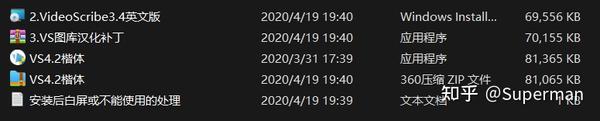
The larger problem is not simply the age of these versions, but the way they are redistributed. Some third parties take overseas software packages, modify or localize them, add promotional material, and then sell them through online marketplaces or self-media channels. The same product may appear under several different names or package formats, often accompanied by aggressive advertising. For someone who only wants to learn and experiment, these additions make the software unnecessarily unpleasant to use.
In some cases, modified builds also include machine-specific registration codes. A purchase may work on only one computer, and changing devices can invalidate access. This is especially frustrating when the original software does not use the same type of artificial registration restriction. Such packaging practices make it harder for people to share knowledge, test the program, or continue using it after upgrading their hardware.
Comparing the commonly circulated releases
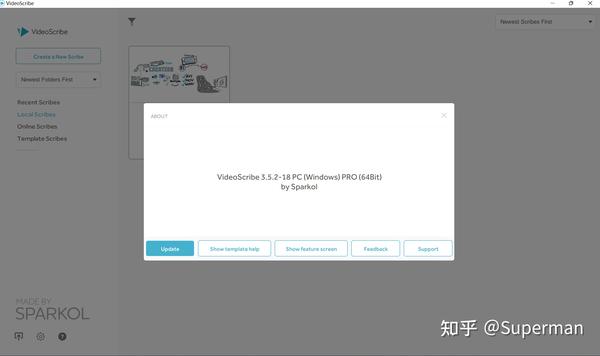
The main releases often discussed for learning purposes are 3.4, 3.5, 3.6, and 3.7. The earlier versions are more likely to have localized resources, while the later ones are usually distributed in English. For users who are comfortable with English, the original interface can be preferable because it avoids the extra modifications and advertising sometimes found in repackaged editions.
Among these releases, version 3.7 is often considered the most comfortable compromise. Its interface and general workflow are close to the later 3.11 release, with only relatively small differences in operation. It also has a cleaner presentation than many repackaged domestic versions.
One important limitation concerns templates. VideoScribe files are generally backward-compatible: a newer version can open older projects, but an older version cannot reliably open files created by a newer release. As a result, a 3.7 installation may not open some of the newest online templates, including templates associated with the 2022 release. The unavailable portion is relatively small, however, and most of the older template library remains usable for ordinary projects.

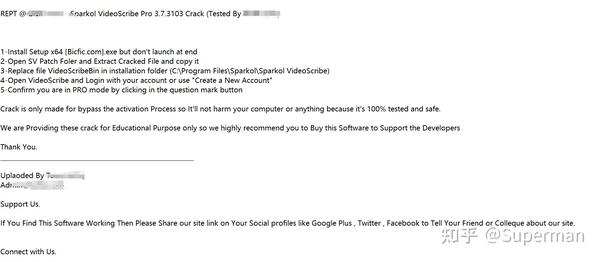
The cleanest approach is to treat older versions as learning tools rather than permanent replacements for the official product. Anyone testing unofficial software should be careful about installation files, advertisements, account requests, and system permissions. Using legitimate trial access or an official subscription is safer when online materials and account-based features are important.
Online features and the seven-day limitation
Another recurring issue is the online system. Official access provides a seven-day trial period, and features such as online materials generally require users to register and sign in. Once the trial expires, a new account may be needed to continue testing the online functions. Unofficial distributors have not reliably eliminated this limitation, because it is tied to the service rather than merely to the desktop installer.
Some modified packages advertise an offline mode. In practice, an offline edition usually means that parts of the original program have been removed or altered. That can make it possible to create projects without signing in, but it may also mean fewer materials, missing functions, or an inconsistent workflow. A version that supports both online login and offline work is more flexible, but it still does not remove the licensing and security concerns associated with unofficial software.
Other tools worth considering
VideoScribe is not the only way to make this kind of animation. Cartoon Animator 4 is another option, although it requires stronger drawing and character-animation skills to get good results. It offers more control, but it may not be as approachable for someone who simply wants to assemble a hand-drawn explainer video quickly.
Wancai Animation Master is another commonly encountered alternative, but it is also a paid product. In other words, there is no easy guarantee that a polished animation tool will be both fully featured and permanently free. For learning, the safest path is to compare official trials, older legitimate installers, and clearly documented alternatives rather than relying on repackaged builds covered with advertisements or device locks.